A product launch checklist should cover readiness, execution, and verification after release. Give each check an owner, a passing condition, and an evidence location. Agree beforehand when to pause or recover: successful deployment alone does not prove the user journey works.
Scale the checklist to the change. Copy edits and login changes have different risks. State what changes and who is affected before deciding which checks are required.
Establish the release baseline
Record the code version, configuration environment, release window, operator, and reviewer. Google SRE's launch guidance describes using checklists to examine readiness. A small team can begin with its own recurring failure points.
For data changes, separately check migration steps, compatibility, and recovery. Restoring an application version may not reverse a data change, so retaining an old build is not automatically a complete rollback plan.
| Situation | Response | Record to keep |
|---|---|---|
| Before release | Scope, version, access, recovery | Readiness decision |
| During release | Actual environment and version | Proceed, pause, or recover |
| After release | Critical journeys and monitoring | Time, evidence, failed checks |
Leave an inspectable result
LAUNCH-01 concerns Atlas signup v2. Desktop and mobile signup, login, and logout need checks. Mobile signup remains unverified, so the release decision stays pending. A passing test environment is not a passing production environment.
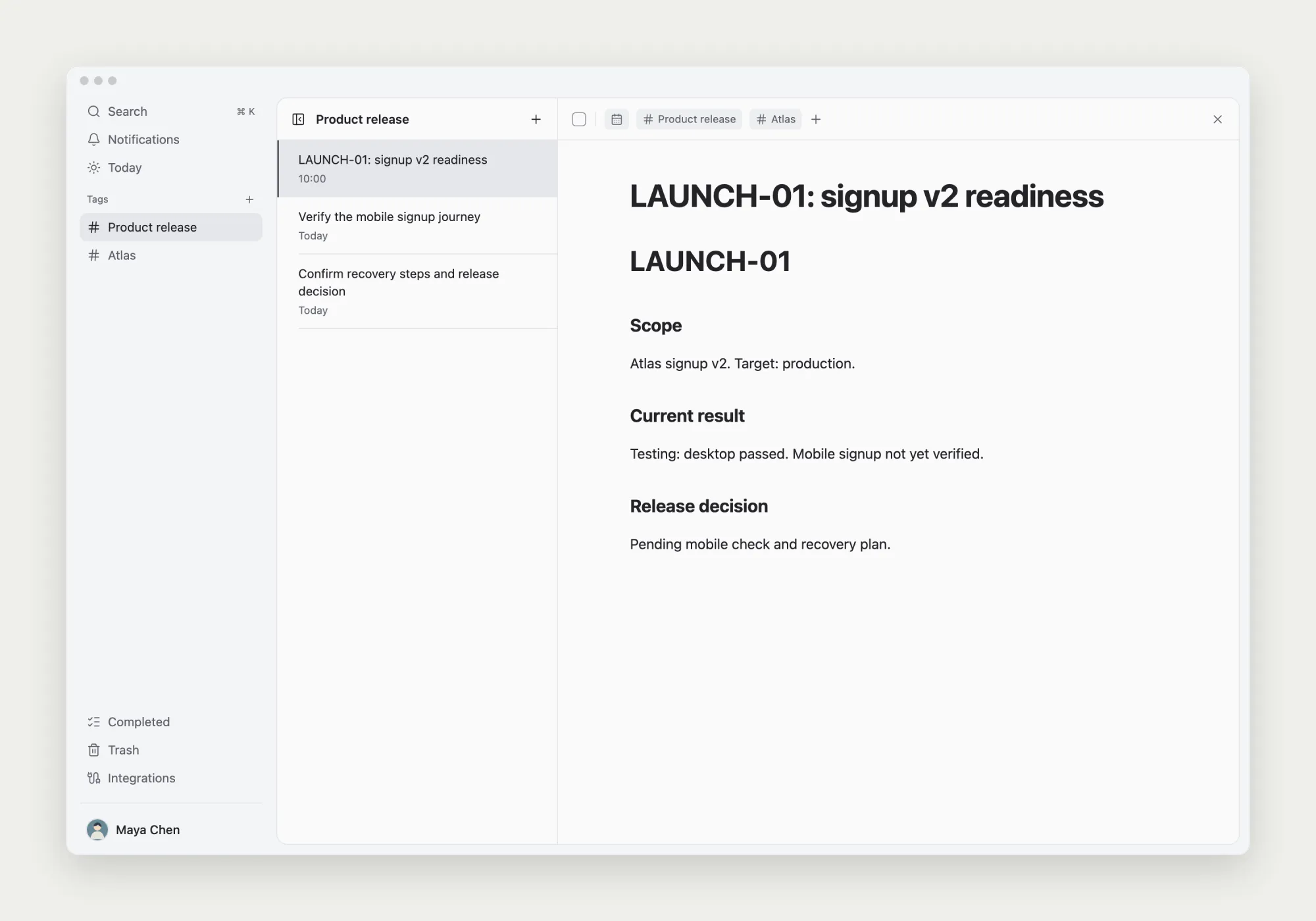
Attach environment, version, and time to evidence. “Mobile signup passed on release-v2 in testing” is more useful than “mobile is fine.” Link appropriate reports or screenshots without putting real customer records into examples.
Check after deployment
Confirm the actual deployed version, resources, critical actions, and relevant monitoring. Agree on an observation window, failure conditions, and a decision owner before a problem occurs.
In TodoNote, make the release a parent task with preparation, execution, and verification subtasks. Keep versions and results in its note. Opening a repair task does not make a blocking check pass.
Close with explicit follow-up
Close the release only after required checks and the observation period are complete, with remaining issues assigned and scheduled. A small deferred issue still needs an owner and a review time.
Review which checks caught problems and which became obsolete. Update the checklist with the system, retaining security, data, and compatibility checks according to actual risk.
A template to copy
Version and scope:
Environment and release window:
Operator and reviewer:

Required readiness checks:
Methods and evidence locations:
Pause or recovery conditions:
Recovery steps and owner:

Actual deployed version:
Post-release journey checks:
Observation window and failure rules:
Remaining issues and next actions:Related workflow: Incident postmortem template: what to record after recovery
Sources and background: Google SRE