AI memory can help a product retain background. Working notes let you explicitly preserve facts, sources, dates, and decisions. Use them together: stable preferences may fit supported memory settings, while changing status and traceable evidence need an inspectable working record.
Memory scope, update behavior, and controls vary by product. Do not assume every conversation is retained in full, or that every memory feature stores only short preferences. Check the documentation and settings of the product you actually use.
Classify the information first
“Prefer concise replies” is relatively stable. “Release v2 Friday” can change. “Why we rejected A” needs dated reasoning and evidence. One undifferentiated background paragraph can turn an old plan into an apparent current fact.
Anthropic's memory documentation illustrates one product's continuity features. The information split here is a working-note recommendation, rather than a claim that all AI products share the same architecture or retrieve the same content each time.
| Situation | Response | Record to keep |
|---|---|---|
| Communication preference | Supported memory or preference setting | Preference changes |
| Project fact or status | Dated task note | New check or plan |
| Decision rationale | Record with sources, date, reasons | New evidence |
| Temporary question | Current task or conversation | Resolution updates status |
Date changing project status
MEMORY-01 says the mobile signup check is still failing as of November 15. Friday's release is retained as the original plan. The next AI session should read the latest check rather than treat the remembered release date as completion.
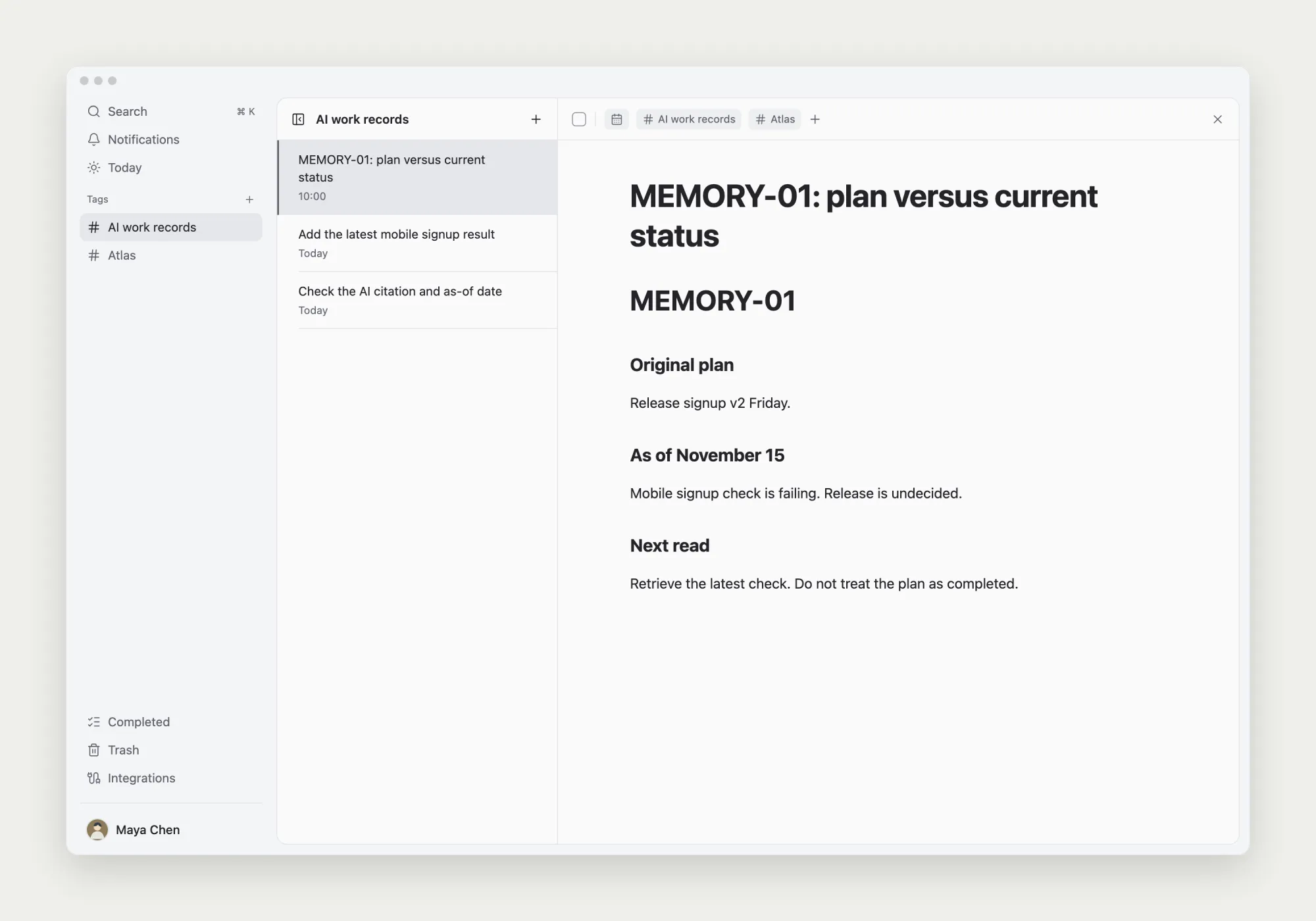
Give important conclusions a source location and a record of who confirmed what. Add updated status while identifying an older plan as historical, so later readers can see when the situation changed.
A connection is not automatic memory
MCP allows compatible AI applications to access external capabilities. A connection does not mean the whole project was read or that every field can be searched. Client behavior and the tools exposed by the server determine what is available.
In TodoNote, preserve project status and decisions in task notes. The current search_tasks tool matches task titles. After finding candidates, use get_task and get_task_document_markdown to inspect status and notes and judge whether the record is current.
Make updates reviewable
Ask the AI to identify the record, its date, and remaining unknowns before proposing work. When writing back, check the original and the change scope: set_task_document_markdown replaces the whole document rather than automatically appending.
Maintain a primary working record and provide the relevant portion to each tool. Memory can reduce repeated preferences; important state and reasoning should still lead back to evidence.
A template to copy
Information:
Preference, fact, status, or interpretation:

Primary location:
Source and version:
As-of date:
Who confirmed what:
Is the earlier plan still valid?
Unknowns:
What must the next reader retrieve?
Update trigger and check:Related workflow: Stop Repeating Project Background to AI: A Task Context Template