For each attempt, record the hypothesis, condition you changed, observation, and next check. Keep unsuccessful attempts too. The next person can see which ideas were tested and how strongly the results support them.
Establish a repeatable starting point
A file upload sometimes fails. Reproduce it with a test account and the same sample file. Record the time, app version, and actions. Decide what counts as completion, such as a visible success status.
If you change the file and network together, the result is hard to interpret. Name each round for the condition you changed so you can compare later.
Record counts and separate observations from conclusions
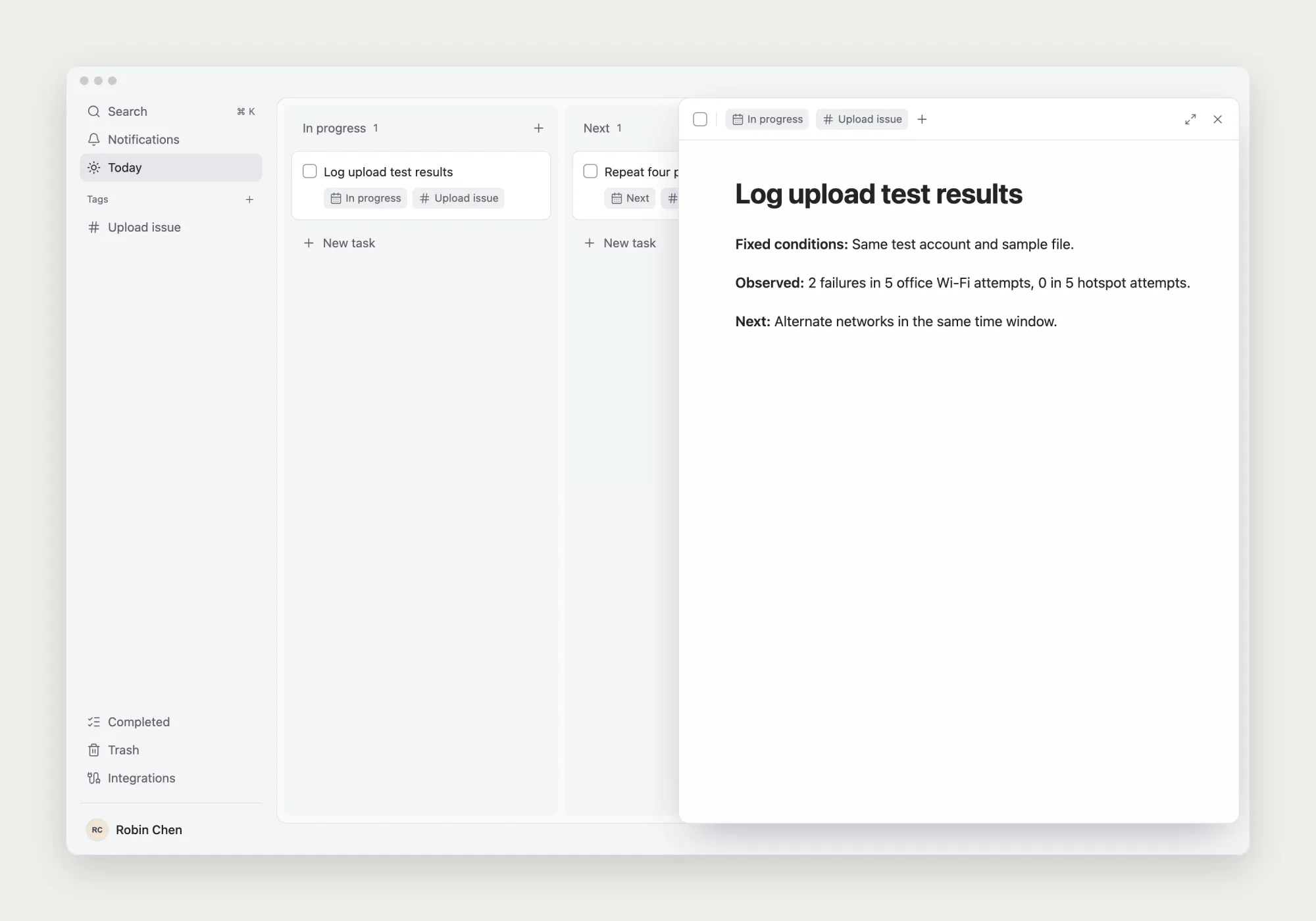
On office Wi-Fi, 2 of 5 attempts fail. On a hotspot, all 5 succeed. Record that you ran the groups in sequence. Network conditions are worth checking, but time of day could also have played a part.
Repeat four paired trials in one time window, alternating between networks. Put that next check on the TodoNote board and keep the earlier results in the case note.
Give the next person somewhere to start
Summarize the observation and next test in one paragraph: “Same account and file. Office Wi-Fi failed 2/5 times, hotspot 0/5. Alternate networks next and log each result.” A teammate can start there.
Keep evidence in an approved location and include its timestamp and reference. When the cause is confirmed, add the evidence that confirmed it. The earlier record remains available for review.
Copy this troubleshooting log template
Use one copy per round. Keep the latest verified facts at the top and add test rounds in time order below.
Problem and environment:
Hypothesis for this round:
Conditions held constant:
Condition changed:
Observed results and counts:
Conclusion supported by this round:
Evidence link or reference:
Next check and owner:Start with the most recent attempt. If another person can tell what changed and what to check next, the note is ready to hand over.
Related guide · A Bug Report That Answers the Developer’s First Questions