Good project handover notes explain the current outcome, the decisions that still apply, what is unresolved, where the relevant materials live, and the first action for the person taking over. Start with what that person needs to do next, then link to the working records that support it.
A folder full of files can still leave someone unsure whether a draft is approved, whether a date is confirmed, or who is waiting for a reply. A handover note provides that missing context. Its job is to make continuing the work possible.
Define the handover around the next piece of work
In this example, Alex is handing an online session’s remaining preparation to Jordan. The session is scheduled for November 6. The speaker is confirmed, the slides are a draft, and the rehearsal time is still undecided. Jordan’s first action is to confirm the rehearsal slot, not to rebuild the whole event plan.
Write the scope and the status date near the top. ‘Preparation for the November 6 session, as of October 28’ is more useful than ‘event handover’. State who is taking over and when responsibility changes, using the arrangement agreed with the people involved.
Separate completed results from work and questions still open
Review the task records before writing the summary. ‘Speaker confirmed’ should point to the confirmation note. ‘Slides in progress’ should identify the draft and the sections still waiting. ‘Rehearsal planned’ is misleading if nobody has agreed to a time.
Alex’s rehearsal note records that Jordan must ask the speaker to choose October 30 or November 2, then reserve the slot. Keep that uncertainty visible. A proposed date becomes a confirmed date only after the relevant person replies.
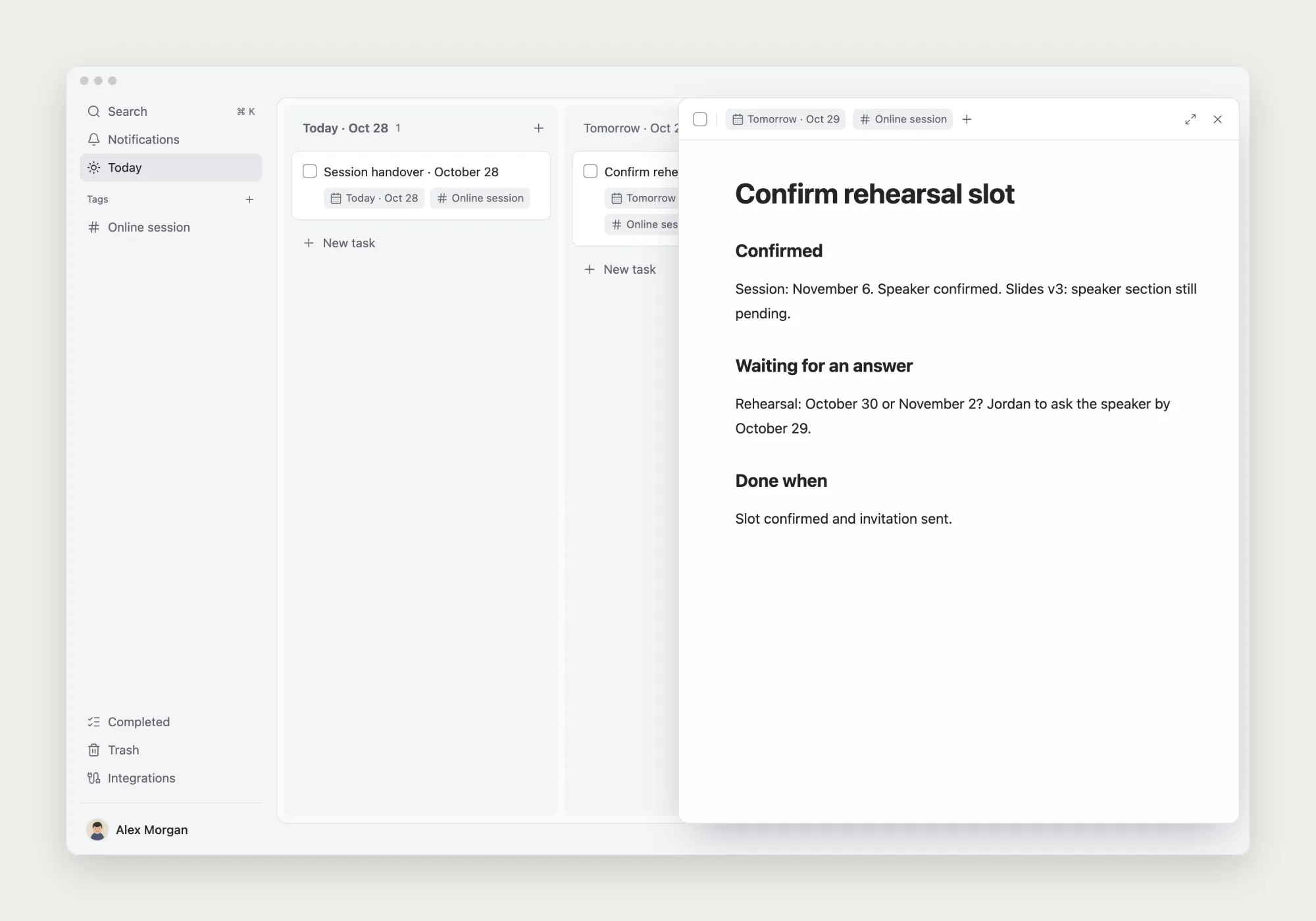
Keep responsibilities explicit in the note: who needs to answer, who will follow up, and by when. If the reply does not arrive, write the next escalation or fallback agreed for this project. Avoid a vague ‘follow up later’ that transfers the uncertainty without a way to handle it.
Keep the reasons that would change the next decision
The session will use a recorded demo because the available connection has not been tested for a live demo. That reason matters: Jordan should not replace the recording simply because a live demo seems more engaging. Revisit the choice after a successful connection test, if the schedule allows.
Only include decision history that affects the remaining work. Put the current decision and its reason in the summary, with a link or reference to the original note for more detail. An obsolete draft needs a version label or a short explanation so it cannot be mistaken for the approved material.
Give each material a purpose and a usable destination
For each important link, say what the recipient will find and which version to use: ‘slides v3, speaker section still pending’, ‘confirmed session outline’, or ‘rehearsal checklist’. A long list of unlabeled links makes the recipient reconstruct the project from scratch.
In TodoNote, Alex uses the ‘Online session’ tag to gather the speaker confirmation, rehearsal task, and a separate handover summary. The summary stays brief and points back to those records. Add the tag to each relevant task; a tag organizes the author’s records and does not itself give another person access.
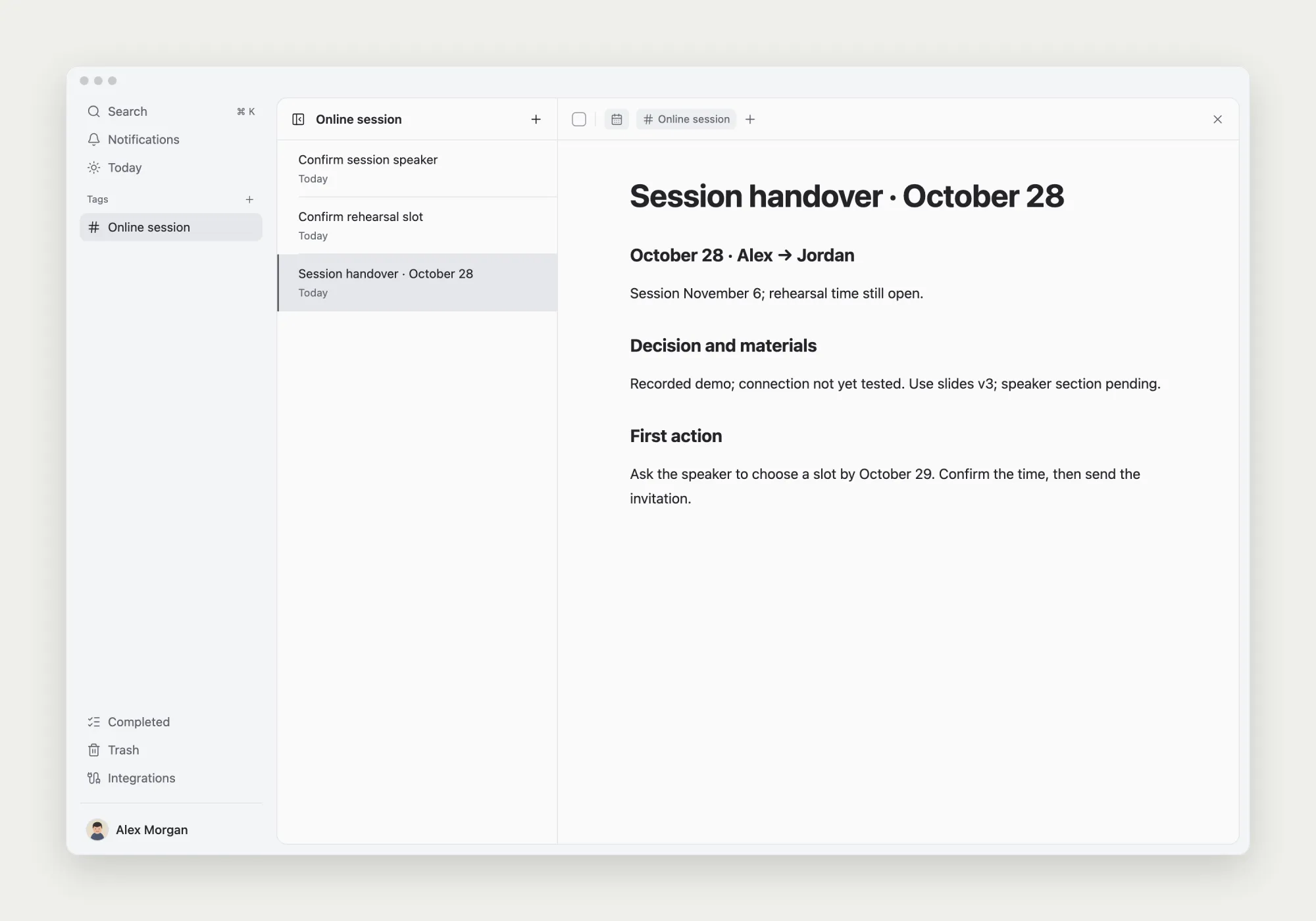
Deliver the summary through the team’s agreed channel and check that the recipient can open the materials. Put follow-up actions in the recipient’s own working arrangement. The notes shown here help prepare the handover; names written in a note do not automatically assign work.
A project handover notes template
Use this as a starting point and remove fields that do not affect the recipient’s next actions. Keep unresolved points visible rather than filling them with an assumption.
Project, scope, and status date:
Outgoing / incoming contact and handover date:
Target outcome and next milestone:

Completed results and supporting records:
Work in progress and current versions:
Decisions still in force and their reasons:

Open questions, who can answer, follow-up date:
First action: who, what, by when, completion check:
Materials: link, purpose, version, access checked:

Recipient’s confirmation and remaining gaps:For the online session, the first action becomes: ‘Jordan asks the speaker to choose October 30 or November 2 by October 29. The step is complete when a slot is confirmed and the rehearsal invitation is sent.’ This gives the recipient a concrete action and a way to verify it.
Check the handover by walking through the first action
Ask the recipient to find the current draft, explain the first action, and identify the person who can resolve the open question. If any part is unclear, fix the summary or the access before considering the handover complete.
This follows the recipient-focused approach in SSW’s project handover guidance, which also emphasizes reviewing access and missing documentation. For a small handover, a short walkthrough can reveal the gaps that a longer document would hide.
Record the confirmation date and any remaining gaps. Later changes should have their own date so the October 28 snapshot remains understandable. Completing ‘prepare handover’ does not mean the online session itself is finished.
Start from the tasks already carrying the work. Turn the relevant facts into a short entry point, keep the original evidence available, and check that the person taking over can begin. Use the decision log template for reasoning worth preserving, or the task breakdown guide to clarify a next action that is still too large.