A useful decision log records the problem, the options considered, the reason for the choice, and the conditions that would make you reconsider. Add the date, the decision-maker, and the next validation step. Keep it short enough to maintain and clear enough that someone returning later can understand the choice in its original context.
“Write the quick-start guide first” preserves an outcome. It does not explain the problem it solves, why a full manual was deferred, or what evidence would justify a different direction. Keeping those details with the task makes later changes easier to assess.
Which decisions deserve a record?
Record choices that affect later work, involve meaningful trade-offs, or are likely to come up again. Scope, content direction, supplier selection, and reasons for deferring a request are good candidates. Small routine edits with no downstream effect rarely need a full template.
Match the detail to the impact. For work you can decide yourself, document your judgment. For decisions involving others, identify who can make the call and who needs to contribute information. Label a proposal, an open question, and a confirmed decision clearly so an idea is not mistaken for an active plan.
Example: what should the help center cover first?
The immediate goal is to help new colleagues complete their first task. The options are a short guide covering that first-use path or a full manual covering all features. Each serves a different scope, so compare them against the result needed in this round.
The October 26 decision is to start with the quick-start guide. The immediate question is whether the first-use steps are clear. A full manual would expand writing into advanced questions that have not yet been established. Keep the manual as a later option; deferring it does not make it worthless.
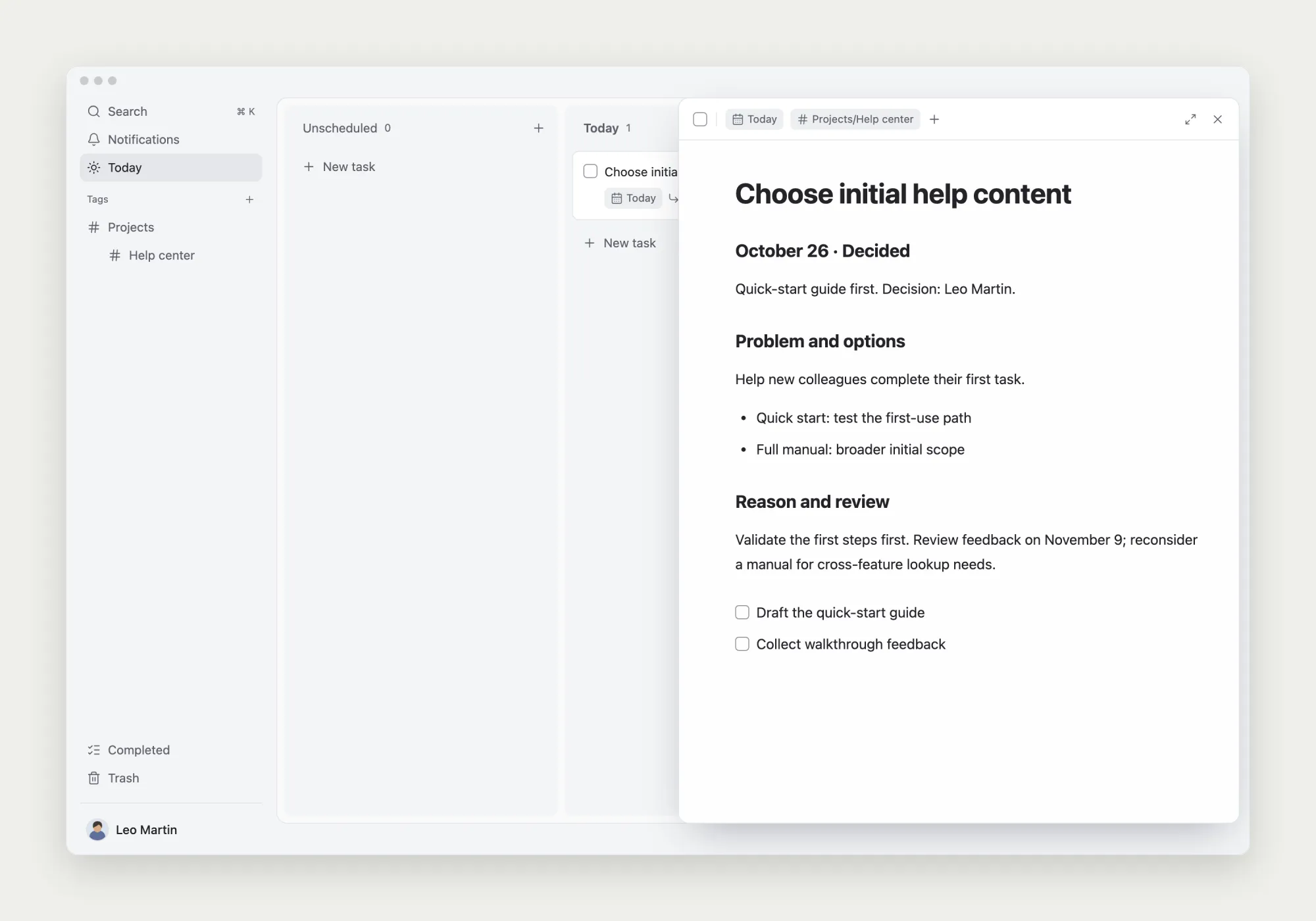
In TodoNote, keep the record in “Choose initial help content,” with two subtasks: draft the guide and collect new-colleague walkthrough feedback. The draft produces something to read. The walkthrough checks whether readers can complete the task. Finishing the draft does not finish the validation.
A decision log template you can copy
Use the fields that matter to the choice. Link evidence to a source you can revisit, and label assumptions as assumptions so they do not become remembered as established facts.
Decision and status:
Date / decision-maker:
Problem and scope:
Options and trade-offs:
Evidence / sources / untested assumptions:
Choice and reasoning:
Follow-up actions and owners:
Review date / reconsideration triggers:
Dated updates (retain the original decision):Make the reconsideration trigger observable: repeated difficulty at a particular step, for example, or a new use case that changes the scope. “Revisit later” gives little guidance. A review date prompts a check; reaching that date does not require you to reverse the original decision.
Turn the choice into follow-up work
The decision sets direction. Subtasks track execution and validation. Give a follow-up action a start date when you plan to work on it, and a due date if there is a delivery commitment. Put feedback in the relevant task note so you can connect a conclusion to its evidence.
If a reader gets stuck on permissions, capture the step, the setup, and the explanation that is missing. “Someone had a problem” is not enough to conclude that you need a full manual. First decide which part of the content the new information affects.
Append a dated update when evidence changes
At the November 9 review, walkthrough feedback points to an unclear permissions step. The update keeps the quick-start scope and adds a permissions preparation section. Broader cross-feature lookup needs would reopen the manual question. Preserve the October choice and its reasoning, then add this later assessment.
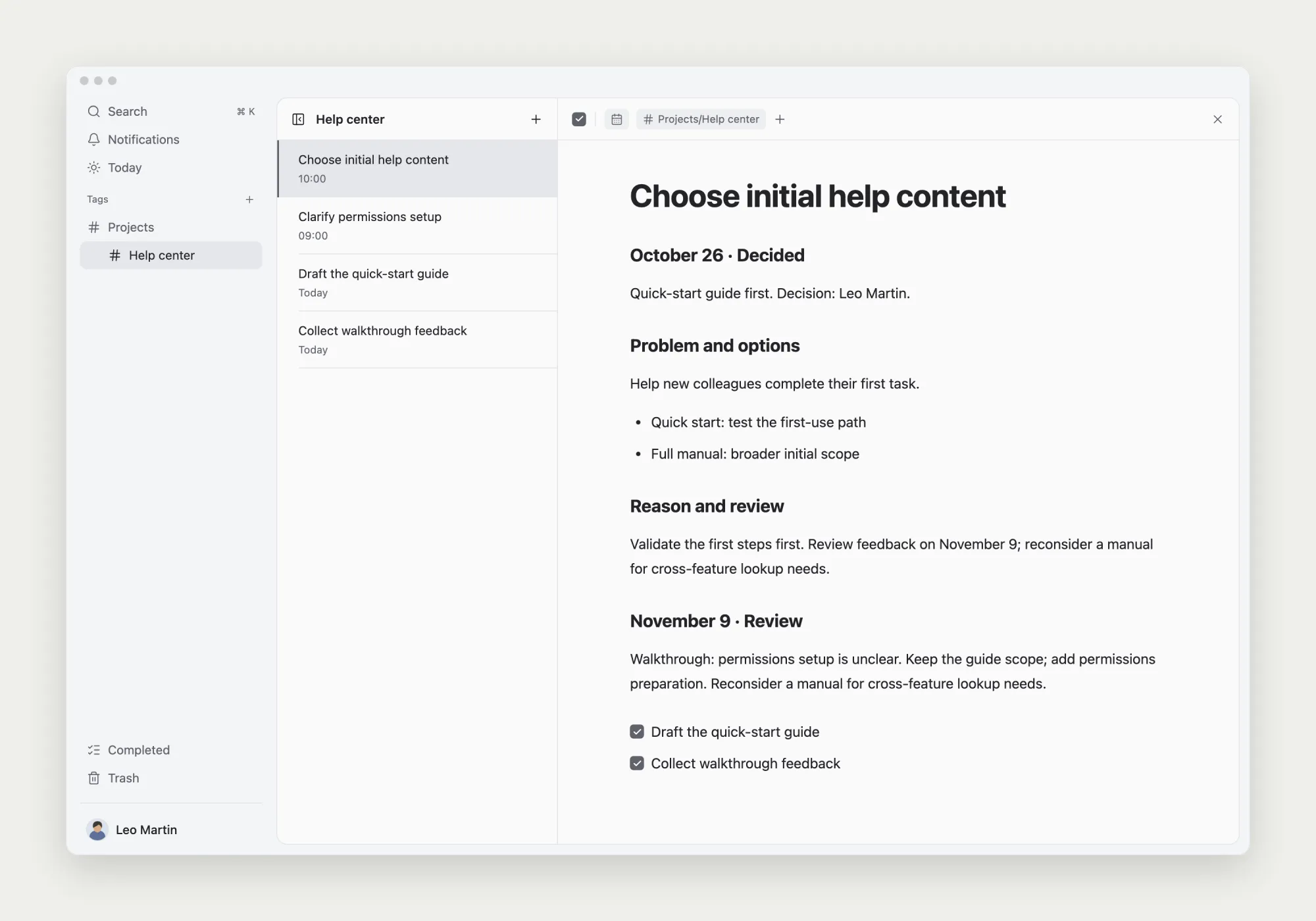
Add a “Help center” tag to find the record by topic. Completing the original selection task keeps its note available. New writing or validation work can have its own task, with a link back to the decision where useful.
Add dated updates yourself as work develops. State whether each update changes the original choice, narrows its scope, or supplies supporting evidence. A future reader can then distinguish what you knew when deciding from what you learned afterward.
If the options are still unclear, first turn your research notes into a recommendation. The decision log can then preserve the choice and its supporting reasons.
Check whether the record is useful
When you return, can you tell what problem mattered, why you chose this approach, what remains untested, and whether a change is needed now? If so, continue the work. The template exists to preserve judgment, not to turn every choice into a long report.
Further reading: Atlassian’s decision documentation template covers context, options, actions, outcomes, and roles for shared decisions. Scale the record to the people and work involved.