Microsoft To Do apps will retire on June 30, 2027. Personal Microsoft accounts need a new task app, and Microsoft says it will offer a way to export data before retirement. If your to-dos often include notes, files, or steps, try recreating one unfinished task in TodoNote to see if you can pick up where you left off.
What happens to your lists depends on your account
The retirement covers the web, Windows, Mac, iOS, and Android apps. Planner is unavailable for personal accounts, including Microsoft 365 Personal and Family. Work and school accounts can move to Planner under their organization’s guidance. Existing To Do tasks and lists won’t transfer automatically.
June 30 is the app retirement date. The underlying service, APIs, and sync have later retirement dates that Microsoft will announce separately. Export instructions and supported data are still pending. When the instructions arrive, check what they say about task notes and attachments. Microsoft’s official transition and export guidance
Pick one upcoming task while you wait for export
Open your old list and find one upcoming task that has both a date and some background you’ll need when you do it. Note its title, timing, current progress, and any instructions you need to pick it up. Make a separate note of recurring tasks, shared lists, and phone reminders you rely on so you can test those too.
Keep the original list during your trial. Once Microsoft publishes the export details, decide which records belong in an archive and which you need to keep working on. If you’re moving a large list, start by checking a small sample. How to test a move with 10 representative tasks
Recreate your month-end invoice in TodoNote
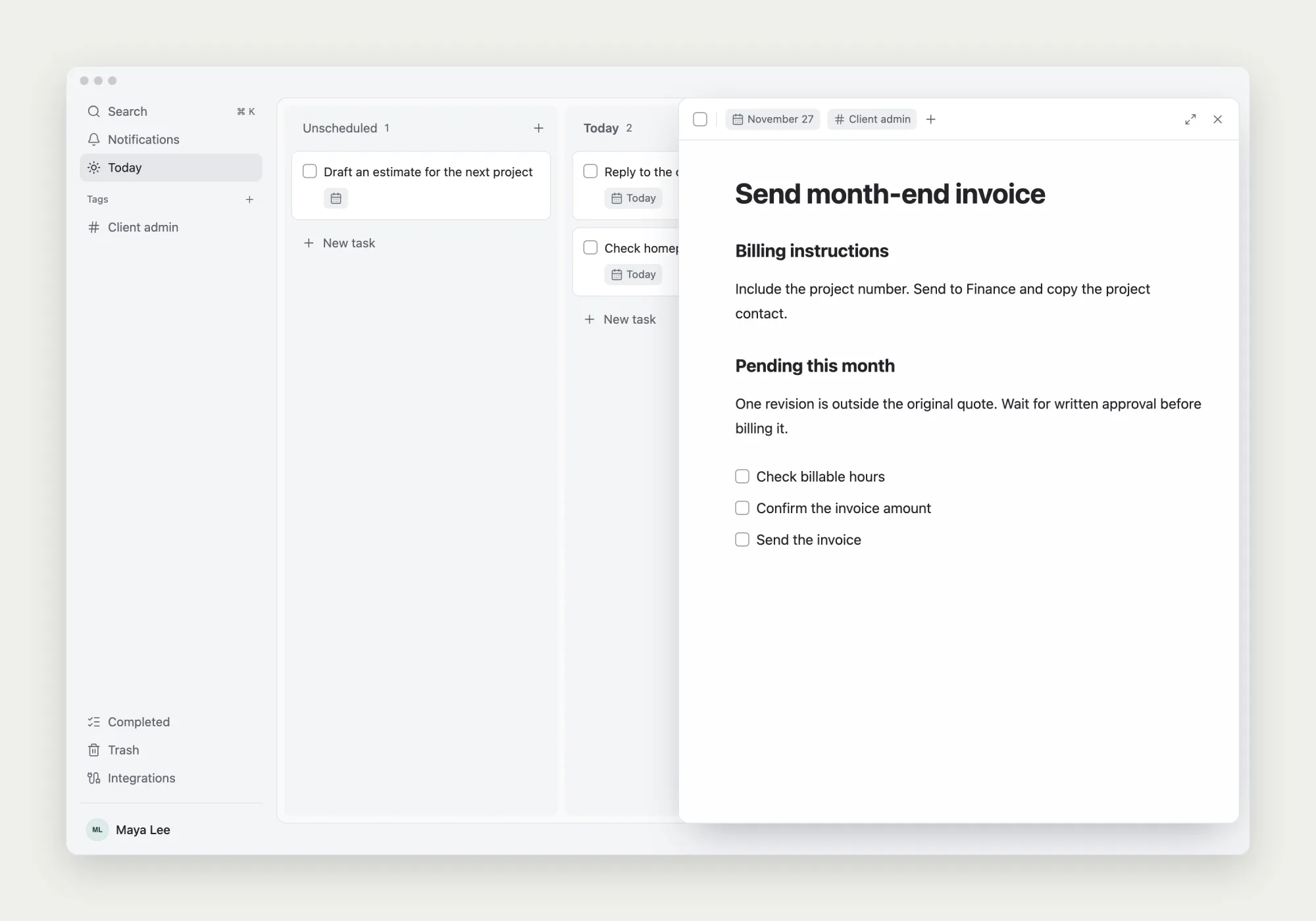
Say you’re a freelance designer billing a client at the end of the month. Create a task called “Send month-end invoice” and schedule it to start on November 27. Open it and add subtasks for checking billable hours, confirming the amount, and sending the invoice.
Put the billing instructions in the task note. The invoice needs the project number and goes to the finance team, with the project contact copied. An out-of-scope revision is still awaiting written approval. When it’s time to confirm the amount, that note tells you which charge is still pending.
Finish one task before moving the rest
After sending the invoice, record the final amount and how you handled the extra charge, then mark it complete. Next month, reopen it from Completed. If you often go back to old to-dos for context, this is where you’ll see whether keeping the note with the task helps.
If you depend on phone notifications or shared lists, test those workflows on the devices you actually use. TodoNote is available on the web and as a desktop app for Windows x64 and Apple silicon Macs. The web app has in-app notifications. Desktop system notifications require permission and an open app window. TodoNote devices, sync, and notifications
Once you’ve tried the whole task, decide which upcoming work to move. Check what can be preserved from your old lists when Microsoft publishes its export instructions.