In a Markdown editor that supports task lists, use - [ ] for an unchecked item and - [x] for a checked item. Turn a step into a task or subtask when it needs its own date, somebody else's input, or a result you will need to find later.
A checkbox answers “Where am I in this pass?” A task adds a place to plan the work and retain its outcome.
Write a small publication checklist
Put a space between the closing bracket and the item text. The title, caption, and footer links can all be checked during the same pass over the page.
- [x] Check the headline
- [x] Check the image caption
- [ ] Check the footer links
Pull out work that has a separate timeline
An editor needs to approve the author bio. A mobile check requires time on a device and a record of what passed. Give these follow-ups their own place in the plan.
| Step | Where to track it | Reason |
|---|---|---|
| Headline and caption | Checkbox in the note | Same review pass |
| Author bio approval | Subtask | Depends on an editor’s reply |
| Mobile verification | Subtask | Needs a date and a test result |
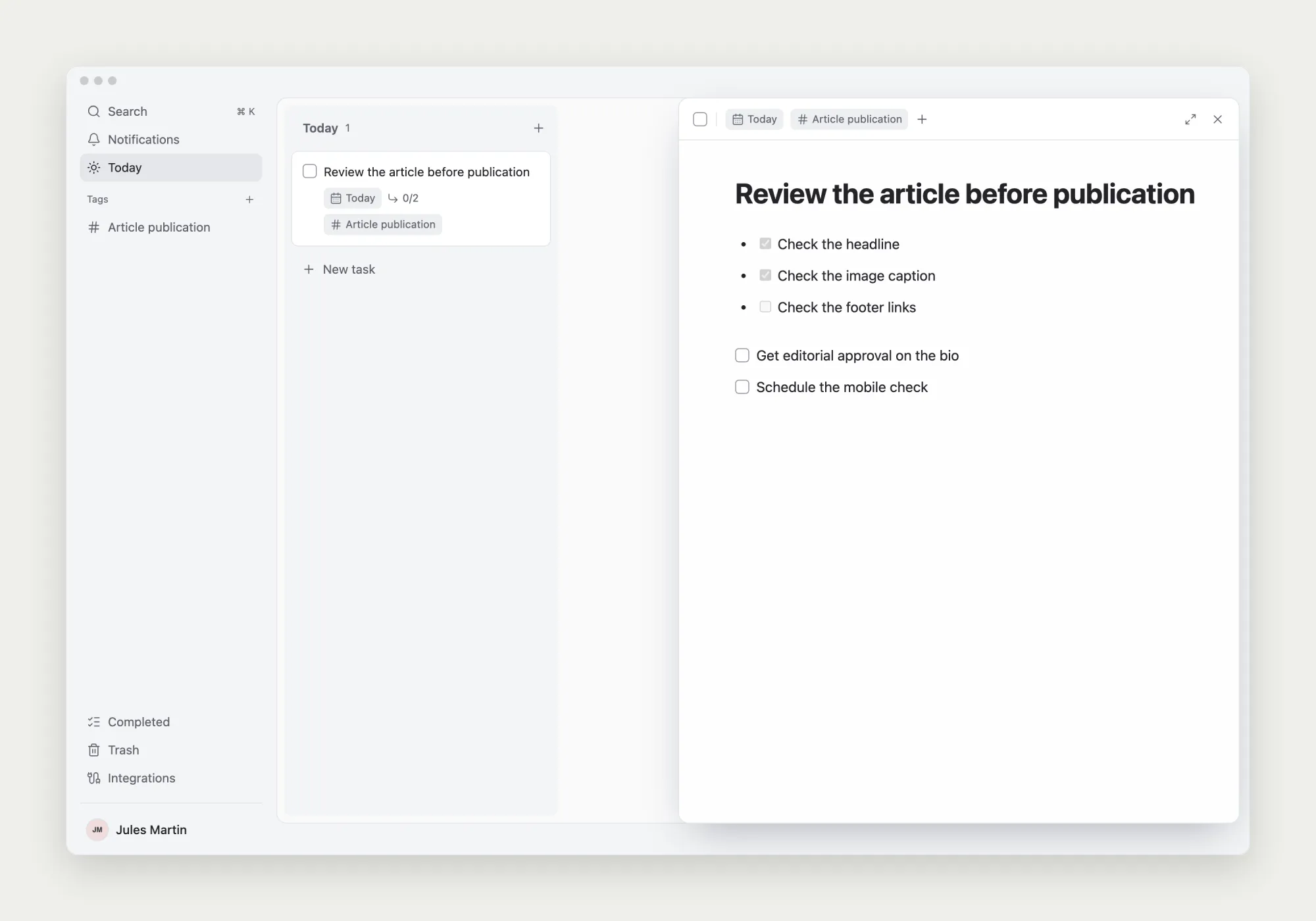
Once a subtask has its own status, the parent note can point people to that entry. This gives the next reviewer one place to verify the actual outcome.
Keep the checklist with the parent task
In TodoNote, keep the quick review steps in the publication task's note. Create subtasks for bio approval and mobile verification. The mobile task can have a separate date and a note for device, browser, and results.
For a reusable checklist, keep an unchecked copy and record the checked items in each individual publication task.
Ask whether the remaining work needs to appear tomorrow
If you only complete half the list today, which part needs a separate place on tomorrow's plan? Make that part a subtask. Keep steps you do together close to the note you read while working.
Technical reference · GitHub Docs
Related reading · How to break down a task into subtasks you can start and check