Keep client meeting notes where the work starts: create a task for each meeting, add the agenda before the call, record decisions during it, and tag related tasks with the client’s name. Complete the meeting task when the meeting ends; its note remains available. Before the next conversation, open the client tag to review what was agreed, what you promised, and what still needs an answer.
After three calls with the same client, preparing for the fourth can still mean searching chat messages. Why was that design rejected? Was a suggestion approved, or only discussed? Where is the file you promised to send? A note that says “keep improving the website” leaves too much to reconstruct.
Give each client meeting a specific task
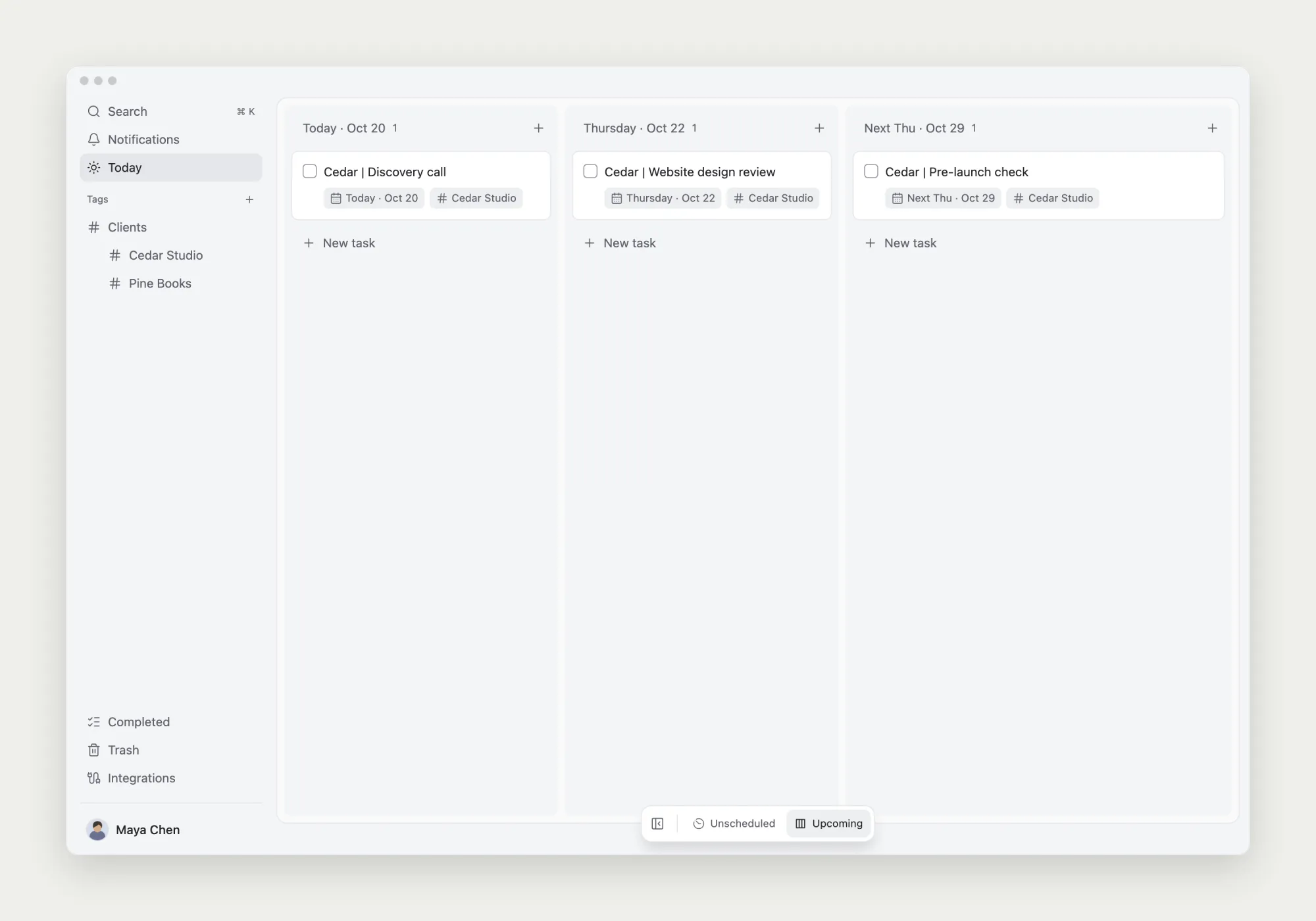
For a website project with Cedar Studio, create separate tasks for the discovery call, design review, and pre-launch check. Each meeting has a purpose and its own note. A single task called “follow up with Cedar” tends to mix several conversations and remain open indefinitely.
Include the client and meeting purpose in the title, and use a date to plan the work. If preparation happens earlier, give it a separate task or step. Record the actual meeting date and participants in the note.
Add the Cedar Studio tag to each meeting. With several clients, their tags can sit beneath a Clients parent tag. Start with consistent names and a useful retrieval route rather than an elaborate classification system.
Prepare and take notes inside the same meeting task
Before the call, write the decision you need, unresolved questions from the previous conversation, and links to the material. Discovery establishes what the website should achieve; the design review confirms scope and the contact method. Let the purpose determine the detail.
During the meeting, separate confirmed decisions, unanswered questions, and suggestions. Preserve the reason for a choice: “use email and defer the quote form to reduce launch preparation” explains more than “email approved.” That reason helps when the request changes later.
Attribute a quotation to its speaker and date, and keep your own interpretation distinct. Place design and document links beside the relevant conclusion so the next review has an accessible source.
Finish the meeting and schedule the remaining work
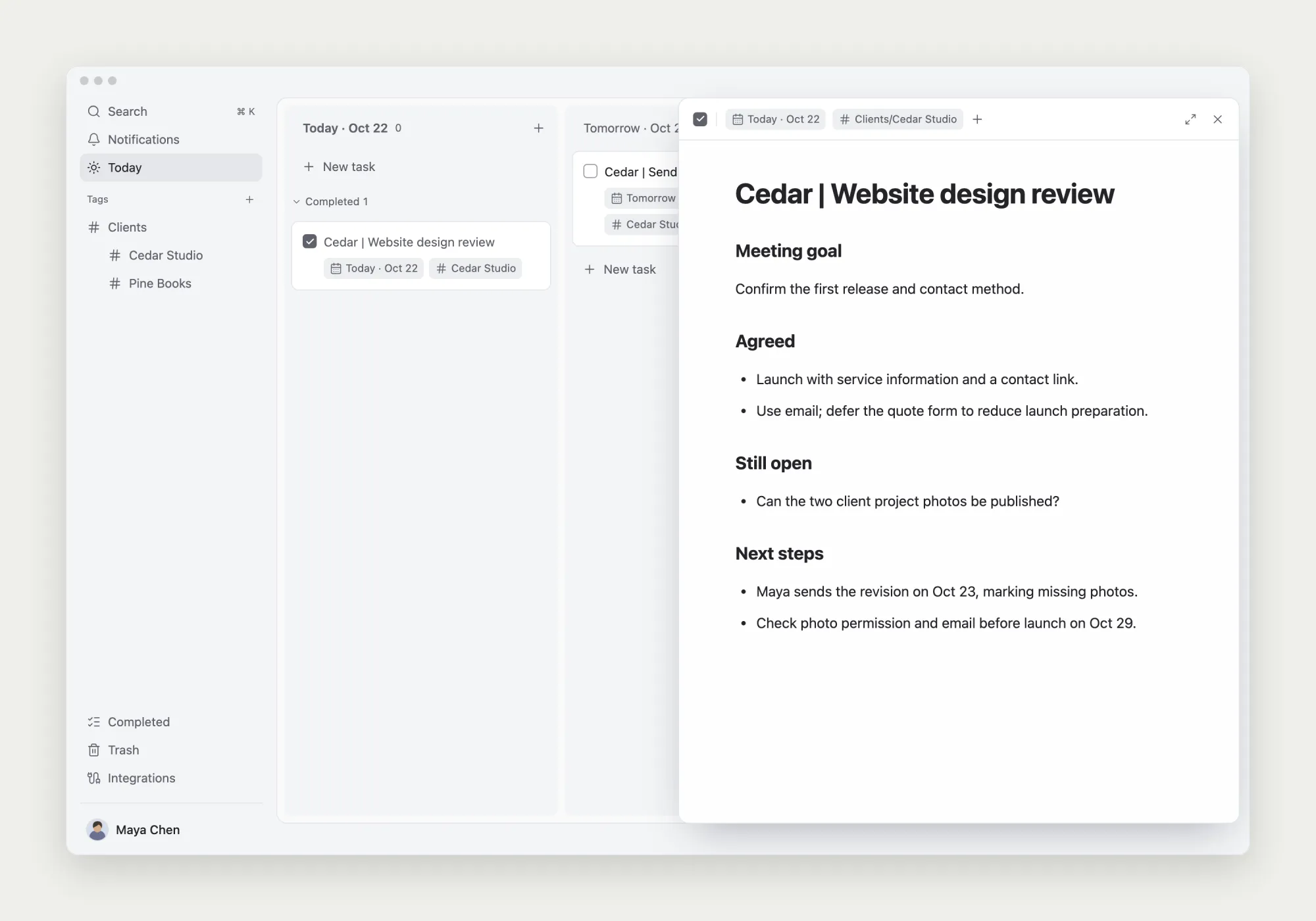
When the October 22 design review ends, complete its meeting task. Sending the revised design is still unfinished, so create a separate task for October 23 and note which review it follows.
Manually give that follow-up the same client tag if it should appear in the client view. You can also split work into subtasks, but do not assume they automatically inherit the client tag.
A completed meeting means the conversation ended. It does not mean a file was sent or the client accepted delivery. Complete each follow-up against its own result, keeping past discussion and outstanding work understandable.
Use the client tag to prepare the next conversation
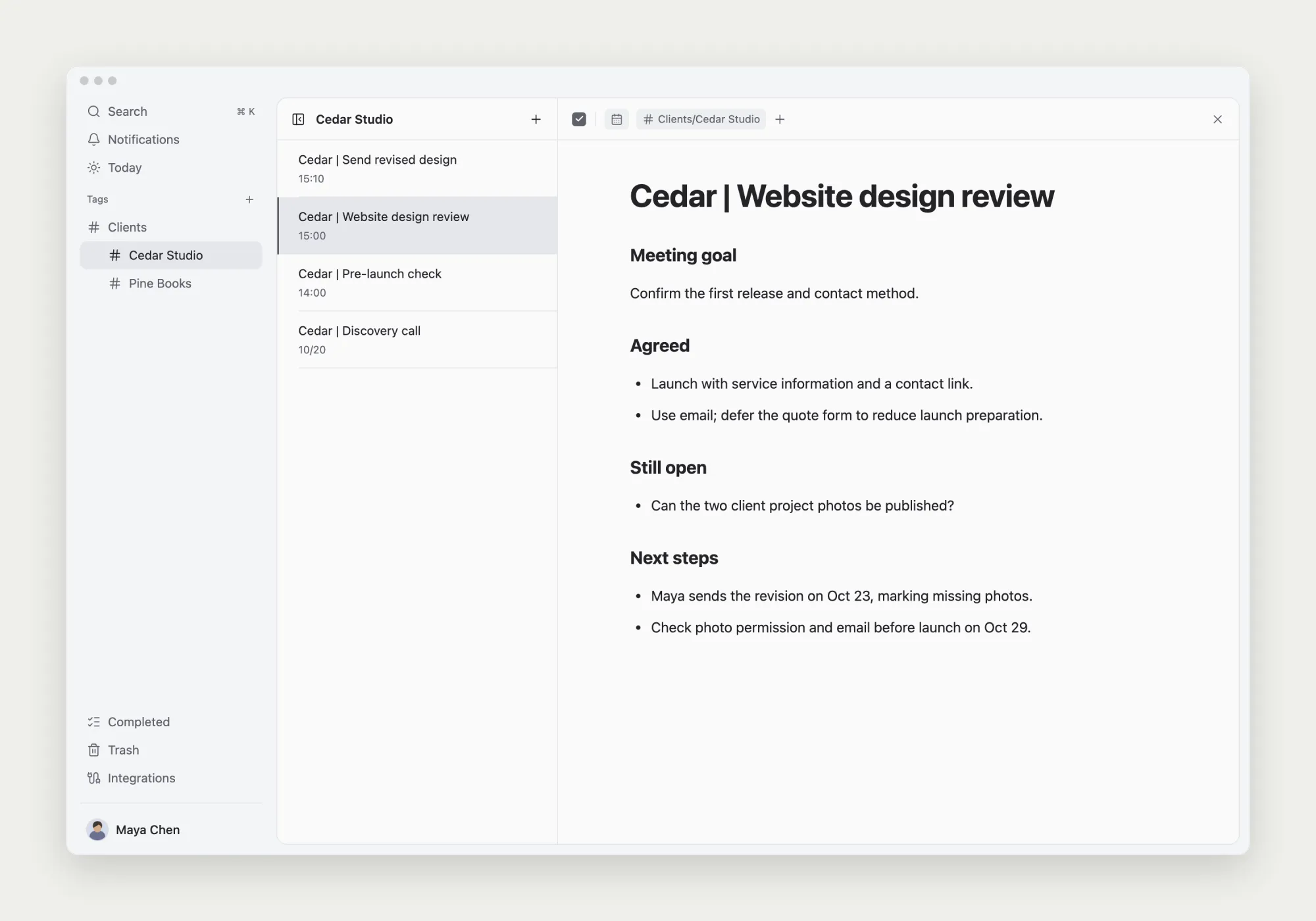
Before the pre-launch check, open Cedar Studio and revisit discovery and the design review. Check the original goal, the agreed email contact, and the unanswered photo-permission question. Those records become the agenda for the next meeting.
The tag provides a shared place to find related tasks. Dates, decisions, and reasons still come from the notes you write. Search a task title containing the client’s name when looking for a particular meeting; the tag does not automatically write a chronological account.
If the client later requests a quote form, reopen the review to recover why it was deferred. Add a dated update that keeps the earlier conclusion and its context, then create the work needed to implement the new decision.
A reusable client meeting notes template
Keep the fields that will matter to the next conversation. A short check-in may only need the conclusion and next action. A scope review can also capture constraints and supporting material. There is no need to repeat the client’s name in every paragraph.
Meeting date and participants:
Purpose of this conversation:
Client needs and constraints:

Confirmed decisions and reasons:
Open questions (who to ask and when):

Next steps:
- My action and planned date:
- What the client needs to provide:

Materials and delivery links:
Dated updates (keep the earlier conclusion):Start with the next client meeting
You do not have to reconstruct every past client conversation first. Create the next meeting task, add known questions and material, record the outcome, and apply the client tag. Bring in important older records when they become useful.
This approach follows one client across several conversations. For owners, completion criteria, and actions within a single meeting, see the meeting notes and action items guide. For organizing client and project tags, see how to organize note tags.
Leave a record you can use again after each meeting, then return to it before the next one. The task prompts the work, the note preserves its reasoning, and the client tag brings the records together.