Specify the client, date range, and review date. Ask AI to read the meeting and follow-up notes, extract each promise and due date, then look for evidence of delivery, completion, or rescheduling. Flag missing evidence for review.
Compare commitments with evidence of completion
Separate due items without proof, completed or rescheduled items, and ambiguous statements. “I’ll look into it” without a deliverable or date belongs in the review queue.
Interpret relative deadlines using the date and time zone of the conversation. If “next Tuesday” cannot be anchored, keep the exact wording and mark the date unclear.
Example: audit the Acme follow-up on Thursday
“Send the sample by Tuesday” is due, with no evidence of sending in the notes you reviewed. Flag it. A later note moved training to next Monday, so show the new date and cite the update.
Go back to the source, then check delivery records or a confirmation email. When a sample has not gone out, the owner decides when to respond next. If it has, add the date and evidence.
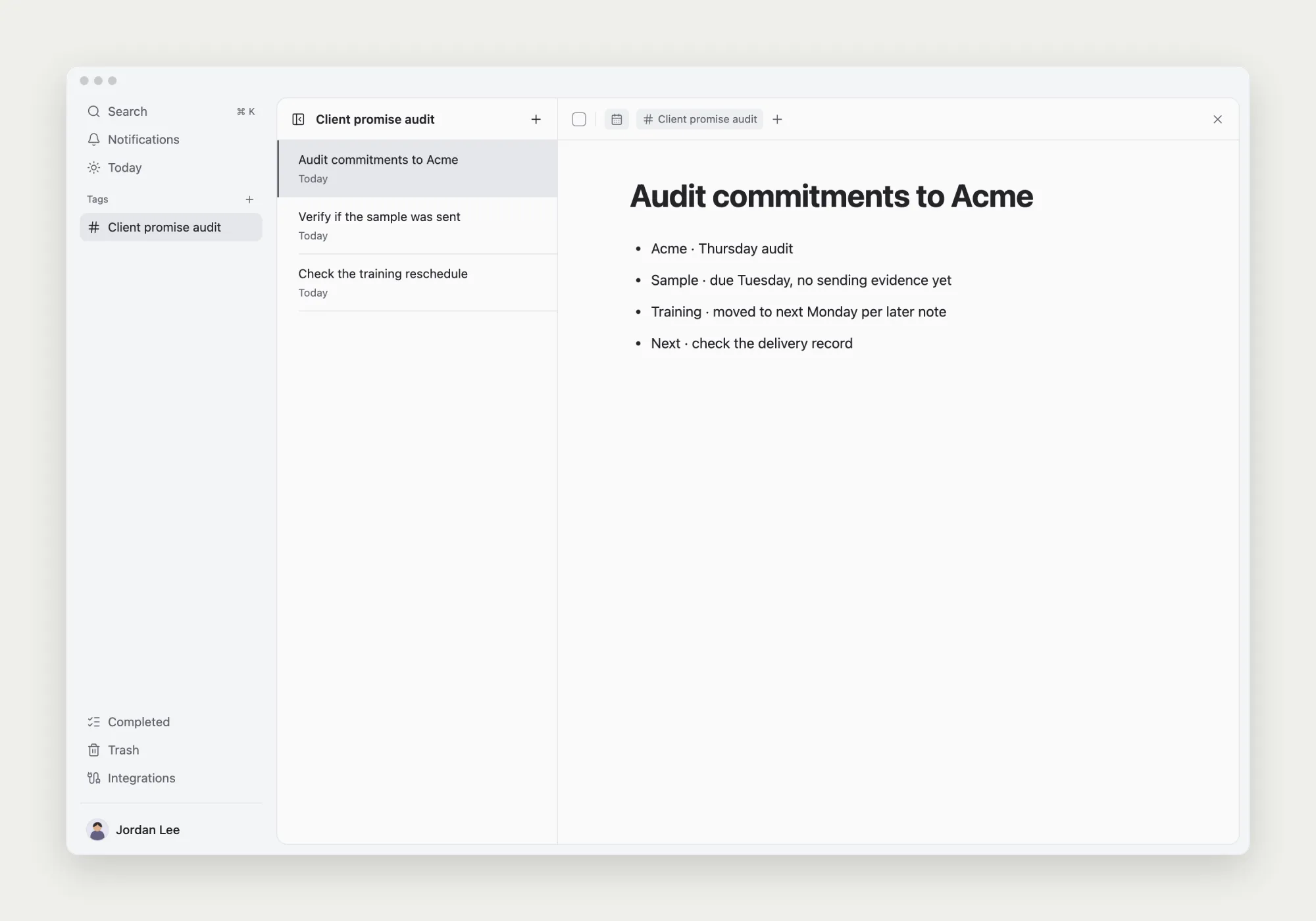
In TodoNote, list_tasks can list candidates by client tag, and get_task_document_markdown reads each note. Listing tasks does not search the full text of notes. Coverage depends on tagging, available sources, and reading all relevant pages.
Keep the audit read-only. The owner verifies findings before updating tasks or contacting the client. Preserve the review scope and what records were unavailable for the next audit.
Copy the template
Use a read-only prompt to check due commitments, quote the original wording, and flag what needs a human review.
Test the prompt on one account with known promises and outcomes. Compare the AI output with your manual review before widening the scope.
Audit [client, date range, review date, and time zone] in read-only mode.
List the meeting, follow-up, and delivery records reviewed.
For each promise, quote it and give the deliverable, due date, owner, and evidence.
Flag due with no proof, completed or rescheduled, or ambiguous.
Give the record and person to check next.
Preserve ambiguous wording and identify missing sources.
Do not update tasks or send messages.For a related workflow, see Client commitment tracker template with a worked example.