To reschedule multiple tasks with AI, ask for a before-and-after plan first. Check dependencies and externally promised deadlines, approve specific fields, and have the assistant read back the updates. Writing to TodoNote through MCP requires the client's corresponding permission.
Start with the change in available time
A client demo is still due Friday, but Tuesday now has half a day less available. Give the assistant the project and the five tasks in scope. Have it read their current dates before using any plan from the chat.
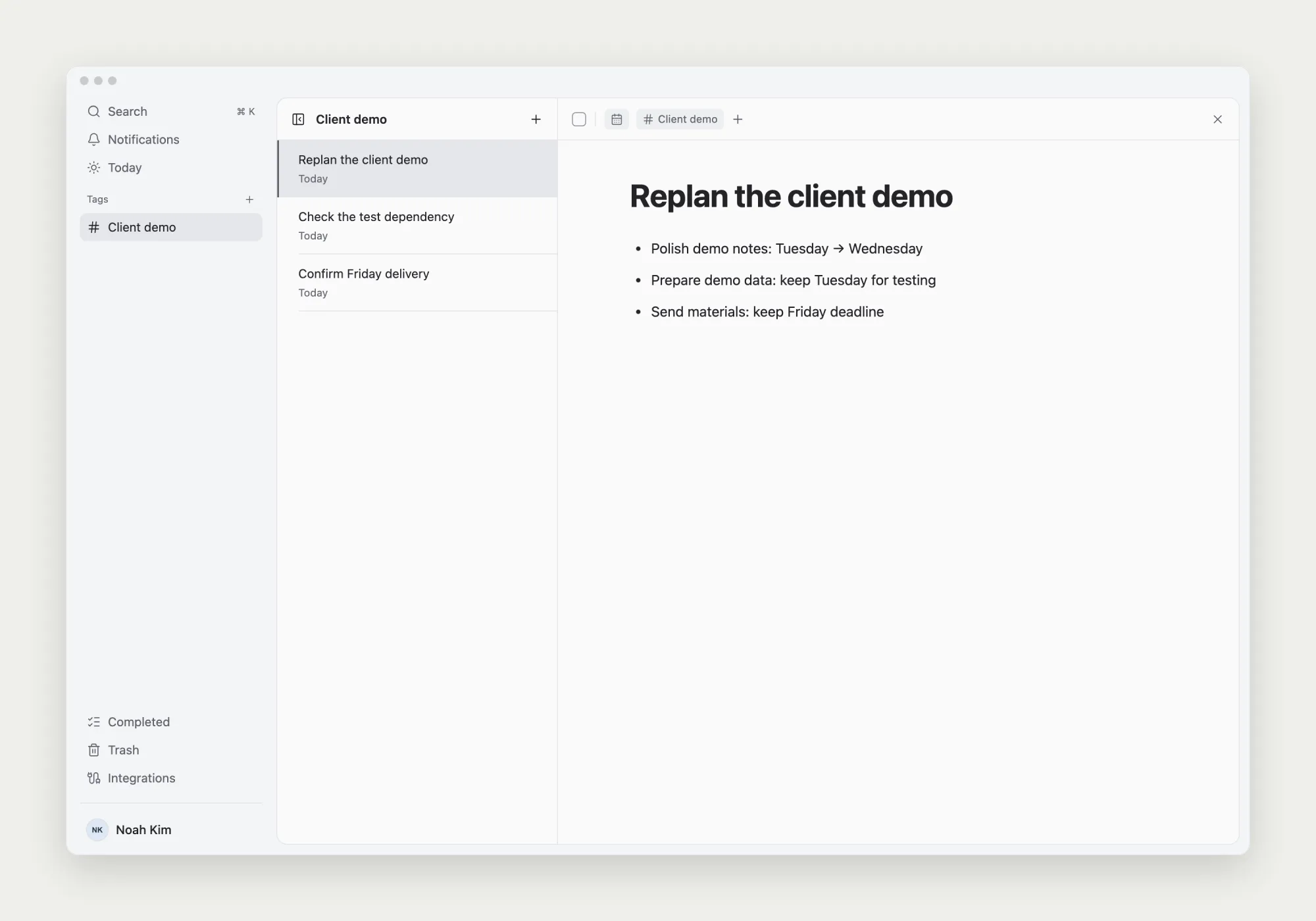
Demo data needs to be ready for Wednesday's environment test, so keep preparation on Tuesday if possible. Polishing the presentation notes can move without delaying that test. Identify this kind of dependency before treating every start date as flexible.
Ask for a row per task
The review should make it easy to see exactly which fields would change. For a duplicate title, uncertain dependency, or ambiguous time zone, identify the item before approving a write.
| Task | Current timing | Proposed timing |
|---|---|---|
| Prepare demo data | Tuesday | Keep Tuesday |
| Polish demo notes | Tuesday | Move to Wednesday |
| Test the environment | Wednesday | Keep Wednesday |
| Send demo materials | Friday deadline | Keep deadline |
| Run client demo | Friday | Keep Friday |
Save the reason and scope in the scheduling task's note so you can revisit the decision when the plan changes again.
Approve the write and check the result
Approve “Change only the start date of Polish demo notes.” Use the actual calendar date and time zone if “Wednesday” could mean more than one thing.
Ask for a fresh read after the write. If an update fails, check that task's current fields before retrying it. The final report should distinguish successful changes from tasks the assistant never touched.
TodoNote guide to connecting an MCP client
Copyable prompt for rescheduling tasks
Read the open tasks for Client demo. Do not write yet.
Available time: half a day less on Tuesday.
Keep externally promised deadlines fixed.
List task, current start, suggested start, deadline, and reason.
Flag dependencies, conflicts, and ambiguous dates.
After I confirm individual changes, update only approved tasks and fields.
Read them back and report success, failure, or no change for each item.Related workflow · Start date vs. due date: plan the work before the deadline