For a year-end self-review, define the review period and audience, recover facts from tasks, deliverables, and feedback, then group them into contribution themes. Separate your actions from team outcomes and attach evidence to important claims. Use that list to select achievements, explain unfinished goals, and plan specific improvements.
By November, the latest busy project is often easier to remember than important work from spring. The hard part is deciding what deserves a place and how much the evidence supports. An achievements list gives you material for the review, a manager conversation, and later résumé updates.
Define the period and the decision this review supports
Write down whether the period is a calendar year, a fiscal year, or a company-defined window, plus the submission date. If you are preparing before year-end, describe unfinished goals as current progress and leave space for an update. Expected results belong with plans until they happen.
A performance self-review should connect to responsibilities and agreed goals. A project retrospective examines methods and problems; a personal review may emphasize growth. The same evidence list can support all three, but the submitted version should fit its reader.
Recover work across the whole period
Nora searches project tags, task notes, delivery documents, and feedback emails. She finds a May onboarding update, an August support investigation, and September mentoring sessions. These separate activities share a contribution theme: making work easier for customers and colleagues to take over.
Julia Evans’s brag document approach encourages keeping accomplishments and remembering less visible work. Use that idea to collect delivery, maintenance, collaboration, and applied learning, including work that did not produce a prominent launch.
| Source | What it supports | What to establish next |
|---|---|---|
| Deliverables and versions | What became available and when | Which part you owned |
| Task and process notes | Actions taken and their reasoning | Whether acceptance is complete |
| Metrics and feedback | An observed change | Time window, definition, and source |
| Mentoring and maintenance notes | Support provided and reused | How it was used and what remains unknown |
Separate your actions, team results, and impact
The May record says Nora updated three onboarding checklists, added account setup steps, and arranged trials with two colleagues. The team later completed the customer launch. Her record supports the document delivery and coordination she owned. Without a comparable before-and-after measure, reduced onboarding time remains unverified.
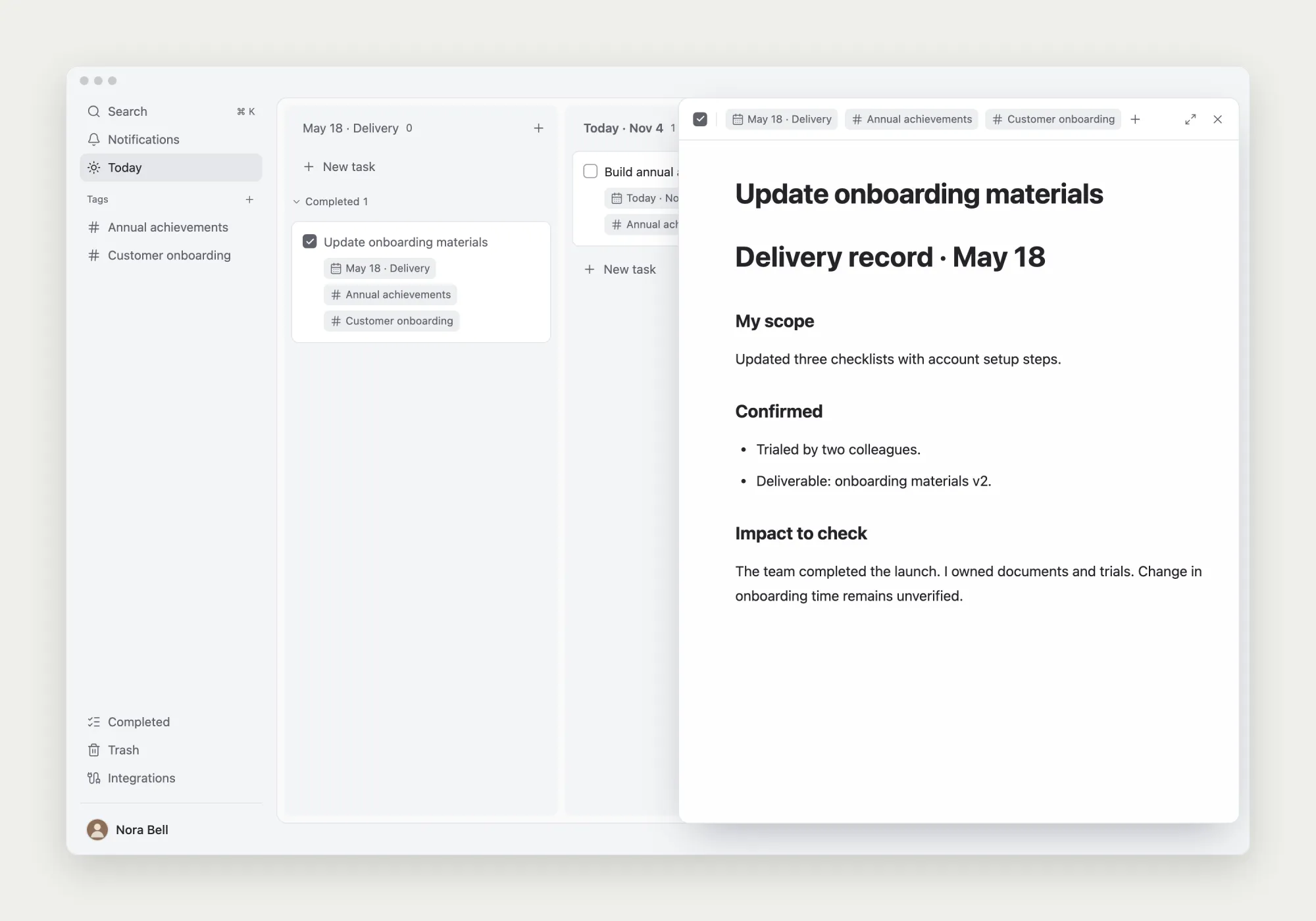
To explain why work mattered, look for a checkable change: who used the document, whether the issue closed, or whether the proposal was approved. Work without a clean metric can still describe the problem, deliverable, and feedback. A percentage invented after the fact makes the claim harder to defend.
Three ways to turn an activity into a supported contribution
| Activity-only wording | Evidence-based wording |
|---|---|
| Updated customer materials | Updated three onboarding checklists, added setup steps, and arranged trials with two colleagues; time savings remain unverified. |
| Helped with customer issues | Documented reproduction steps, coordinated cause confirmation with support, and added the confirmed resolution to handover notes. |
| Mentored a colleague | Prepared four troubleshooting notes and ran two practice sessions, recording the tasks the new colleague still needed to practice independently. |
Choose two or three themes and the evidence that best explains each. If one outcome took months, tell it as one contribution rather than counting each weekly update as a separate achievement. The submitted review needs selection, not a copy of every task.
A work achievements template to copy
Review period / submission date:
Audience / responsibilities and goals:

Contribution theme:
Problem to solve:
My scope / collaborators:
Specific actions I took:
Deliverable / version / date:
Confirmed result / metric definition:
Feedback / source record location:
Boundary between team outcome and my contribution:
Impact still to verify:

Unfinished goal / reason and evidence:
What I learned / what I will change:
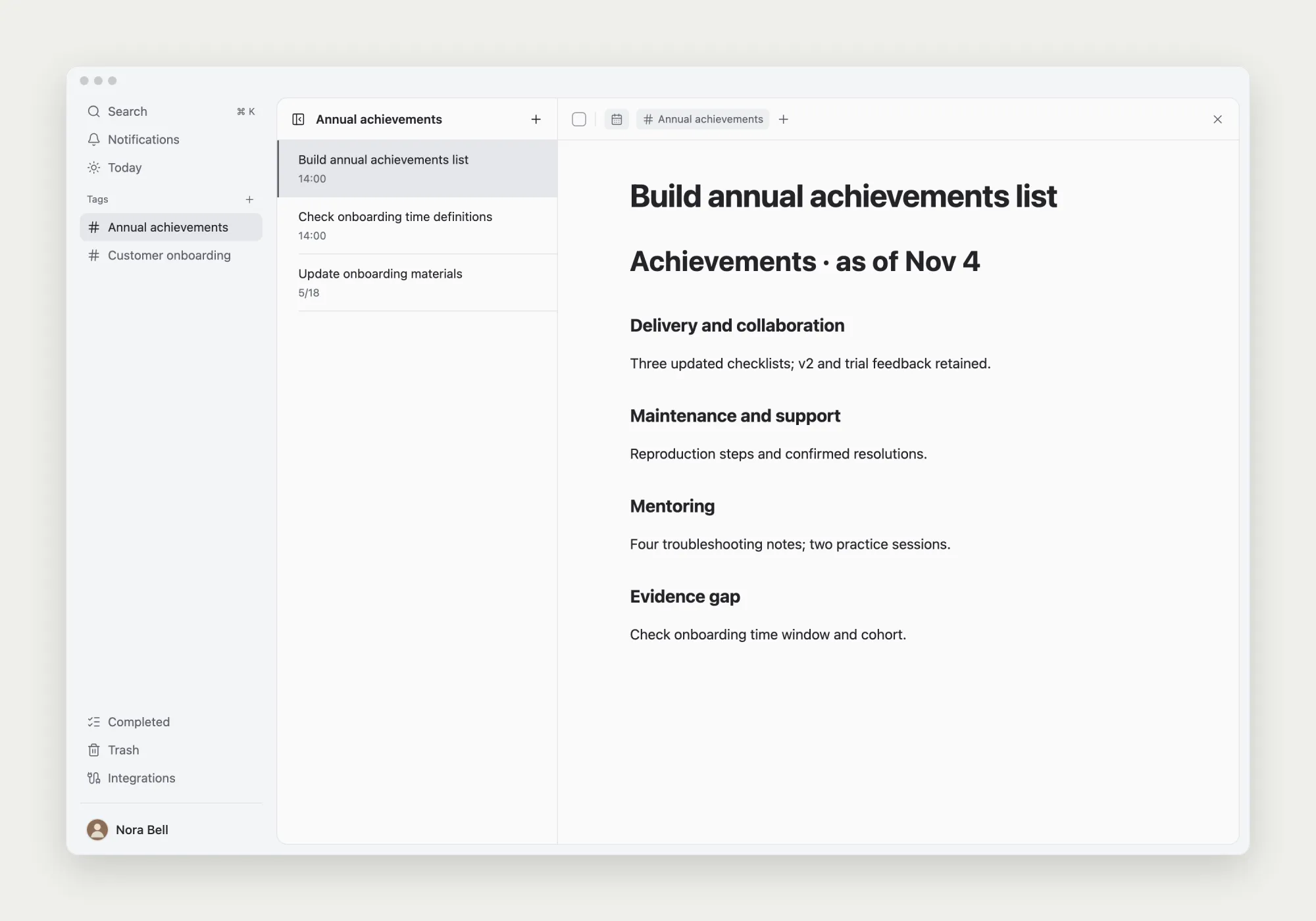
Next action / check-in date:Use one entry for each important contribution. For a weakly supported claim, locate the missing record before deciding whether it belongs. A short pointer to the evidence is usually more useful than copying every email and task note into the review.
Turn the list into a performance self-review
Draft around the most important contribution themes, supporting achievements, goals that remain incomplete, and next-period changes. For an unfinished goal, state the original target, actual progress, reason, and next check. “Keep improving” does not explain the action you will take.
The onboarding materials are delivered and trialed, but impact measurement is still open. Nora schedules a check of the relevant customer cohort and time definitions before claiming greater efficiency. Once the check has a result, she can update the achievements list.
Leave material for the next review
In TodoNote, keep detailed work in its original task and organize an annual achievements note with tags and source locations. Add an entry when you deliver something, receive feedback, or resolve an important problem; merge repeated progress at month-end. The daily work log template can help establish that habit.
A weekly status report tracks near-term progress, while the annual list selects longer-term contributions. Use reports as leads, then verify the original records. That produces a clearer review than joining dozens of weekly reports into one document.