To clear an old task backlog, check whether each item is still needed, distinguish commitments from optional ideas, and identify work waiting on someone else. Remove obsolete tasks, give active work a concrete next action, and schedule only what you intend to start.
An unfinished list is not a single category of overdue work. It can contain an expired campaign, an oversized project, a real administrative obligation, and an interesting experiment. Moving everything to today leaves those decisions unresolved.
Find out why each old task is still here
Consider Alex, an independent designer, with five stale tasks: finish an old summer-event poster, update a portfolio, check October expenses, try a typeface, and improve a client website. Read the original notes and agreements before treating all five as current commitments.
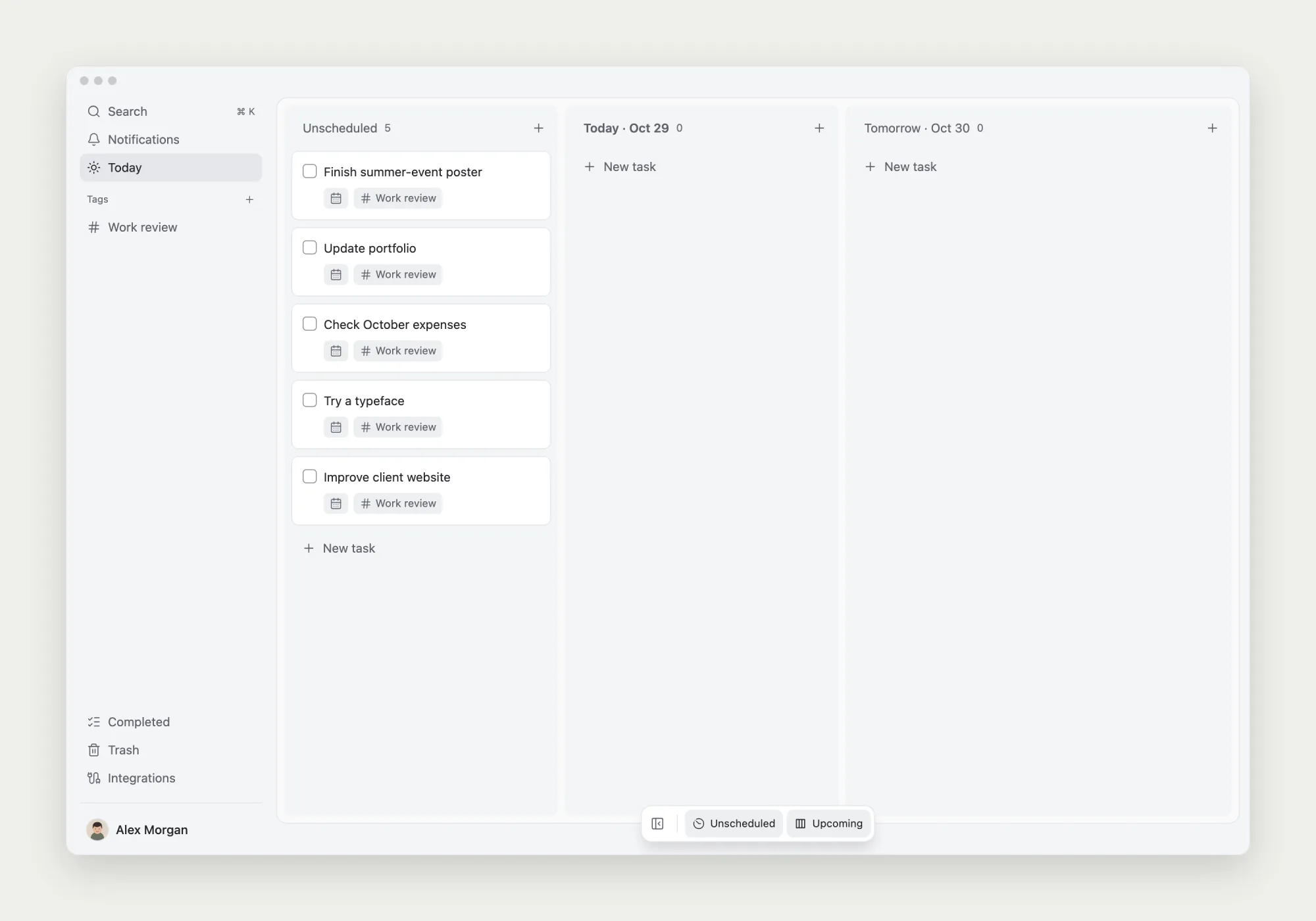
Age is a reason to inspect a task, not a deletion rule. Expense paperwork can still be required after a long delay. A poster for an event that has ended may be obsolete, but confirm that no deliverable is still expected before removing it.
Make a separate decision for each item
| Old task | What the review finds | Decision |
|---|---|---|
| Summer-event poster | Event ended; no remaining obligation | Remove the task |
| Update portfolio | Still useful; scope too broad | Select two projects first |
| Check October expenses | Paperwork still required | Check missing items today |
| Try a typeface | Interest without a commitment | Keep unscheduled |
| Improve client website | Redesign scope not confirmed | Ask whether work is proceeding |
Before deleting an obsolete task, check for useful material or decisions in its note. Preserve anything you still need in an appropriate existing record. Deleting a task and completing one describe different outcomes; cancelled work does not need to be recorded as delivered.
Rename the portfolio item “Select two portfolio projects” and note the selection criteria and source materials. Finish that bounded step before planning the writing and layout. Clearing a backlog does not require decomposing every possible future project.
Separate optional ideas from promises
Leave the typeface experiment unscheduled, with a condition such as “Reconsider when a suitable branding project comes up.” You retain the idea without treating it as today's work. Remove it later if the interest disappears.
For a promise to someone else, postponement includes dealing with the agreement. The client website becomes a specific scope-confirmation task: who to contact and what to ask. Until a reply arrives, keep the question open rather than assuming the redesign is approved.
In TodoNote, the date board separates planned work from unscheduled items. Tags can help retrieve related records. An “ideas” tag still needs a review decision; it does not schedule a review or commit your time automatically.
Put realistic next actions on the calendar
The revised list has four items: check missing expense documents today; select two portfolio projects and confirm the client scope tomorrow; leave the typeface experiment unscheduled. The obsolete poster has been removed after checking the obligation.
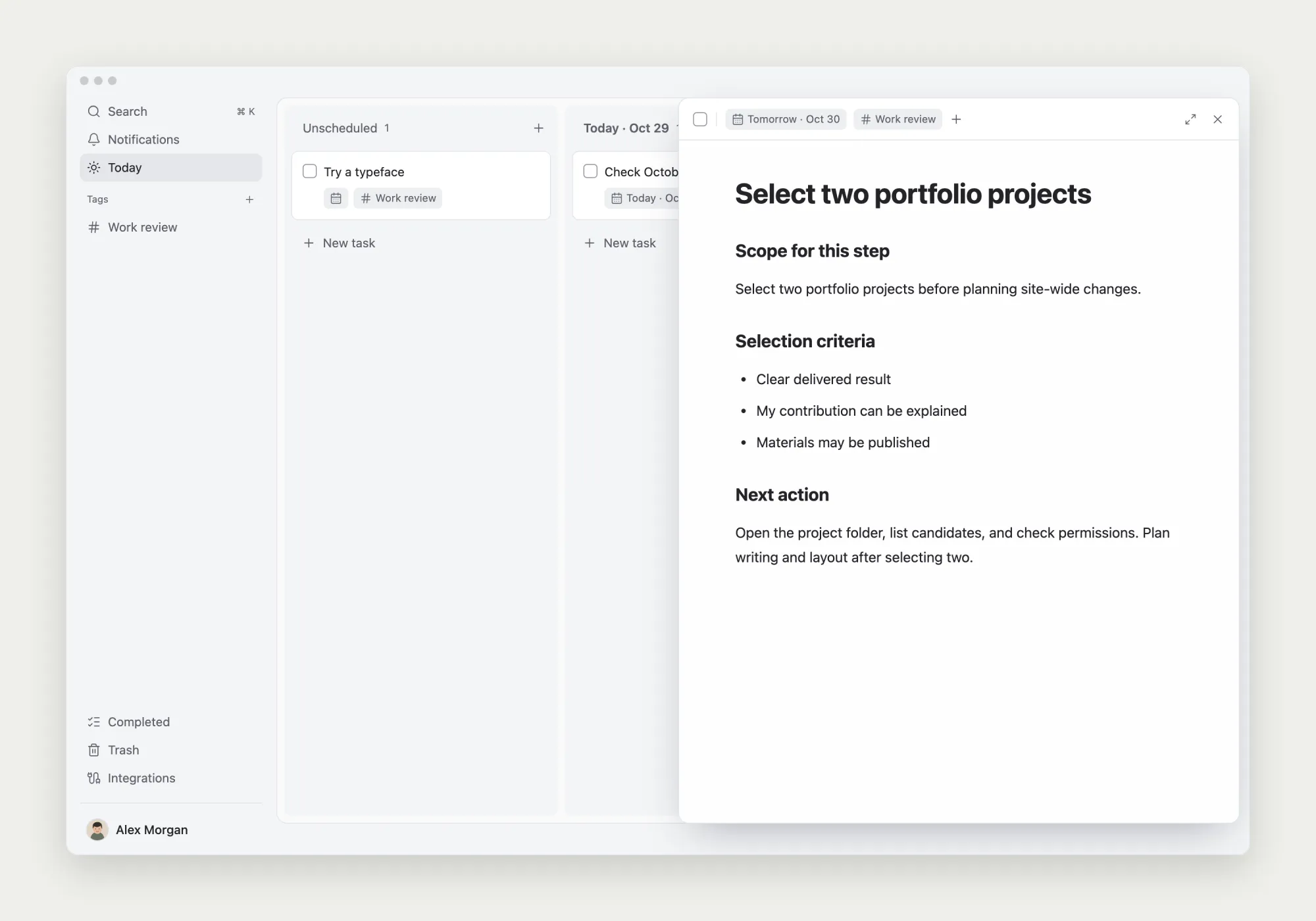
The open portfolio note records the limited scope and selection criteria. A start date says when you intend to work. Add a due date when there is a real delivery requirement; an invented deadline on every idea makes the list harder to trust.
A task-backlog cleanup checklist to copy
Task:
Why it is still needed:
External promise or real deadline:
Missing information or materials:
Decision: remove / reduce scope / follow up / schedule / keep optional
Where useful material is preserved, if deleting:
Next action and completion criteria:
Planned start, if decided:
Date or condition for reconsideration:Use the fields that help you decide. A simple reminder does not need a full form. Start with a manageable batch of items that affect current work or have gone longest without a decision, then continue in batches if necessary.
Keep the list useful after the cleanup
When capturing new work, include its purpose or source. During a weekly review, check open promises and reconsider tasks that keep moving forward. If incoming commitments exceed available time, change the scope or discuss delivery expectations.
The cleaned list should reflect current intentions. You should be able to explain what you removed, what remains, and what happens next. Use a weekly review to maintain those decisions without repeating the entire cleanup every week.