To turn an AI conversation into a useful work note, save the conclusion you actually adopted, its evidence, its conditions, the unresolved questions, and the next action. Keep a conversation link as a source when useful. The note should explain the decision without requiring someone to replay every turn.
A chat can contain ten ideas, three corrections, and one accepted choice. Copying everything preserves text but leaves the next reader to reconstruct the judgment. Copying only the last sentence loses the constraints. Preserve enough context to understand and reconsider the decision.
Identify the result the work actually used
Nora compared three navigation structures for a help center. She chose option B, organized by user goal, and saved the reason in the original task. Option A had too many levels; option C depended on search functionality the site did not yet have.
Those are conclusions for this project, not universal rules. She notes the conditions: first-time users and an initial set of five guides. If the site later has fifty guides, the old decision provides a starting point for review rather than an instruction to keep everything unchanged.
Distinguish evidence from AI suggestions
Customer statements, official feature descriptions, and AI proposals should not look like the same kind of evidence. Keep links and verification dates for factual claims. Mark suggestions as accepted, rejected, or still open. Leave unsupported numbers on the checking list.
| Situation | Response | Record to keep |
|---|---|---|
| Verified fact | Keep source and checking date | Original report or official description |
| Adopted suggestion | State why and under which conditions | Decision and rejected alternatives |
| Unverified inference | Keep it open for checking | Missing evidence |
Make follow-up work separately actionable
Nora still needs two pieces of user feedback to support the choice. Her note says “option B, provisional.” Finding the feedback and testing the navigation become separate subtasks. The note explains the judgment; the tasks schedule what remains to be done.
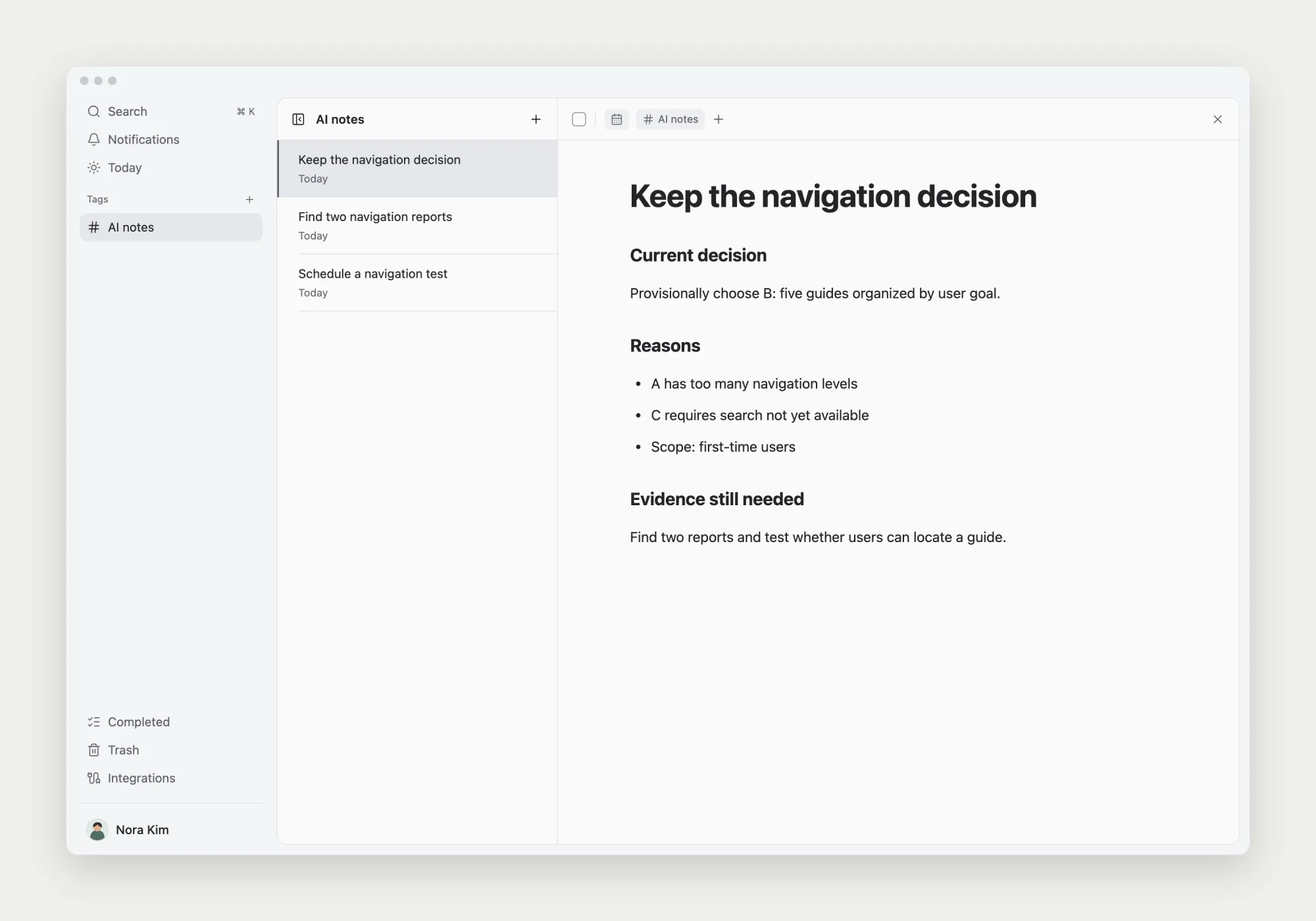
A template you can copy
Original task and conversation link:
Question the work needed to answer:
Conclusion actually adopted:

Evidence and source links:
Verification date and version:
Rejected options and reasons:
Conditions under which this applies:

Questions still open:
Checks still required:
Follow-up actions and start dates:
Useful retrieval tags:
What to recheck before reuse:Tag the record you will want to find again
In TodoNote, the conclusion can stay in the original comparison task. Completing it keeps its note. Add tags such as “help center” or “information architecture” if those are the paths you would use to find the record later. Keeping a second archive copy creates another version to maintain.
Before reuse, check whether the audience, sources, or unresolved questions have changed. You may want one decision principle rather than the whole earlier plan. Start a new task for the new work and preserve the old record as evidence of its original conditions.
If AI helps produce the note, review what it proposes to retain and remove. When saving through MCP, read the full existing note first: writing replaces the complete document. An attractive summary should not erase the source material that made the conclusion checkable.
See the tasks and subtasks guide for the controls, and How to review AI-generated work before you deliver it: a practical checklist for the next step.
Background reading: original source.