When too many tasks are in progress, list work that has started but has not finished, define those boundaries, and trial a WIP limit. At the limit, finish something or remove a blocker before starting more. For an urgent interruption, state what pauses and how it will resume, then review the limit against actual completions.
AI can produce a first draft quickly while review, feedback, and revision still queue up. In Atlassian’s 2026 developer experience research, 87% of surveyed developers said AI helped them ship faster, while only 28% reported noticeably less day-to-day friction. A faster first draft still needs a clear path through review and delivery.
What counts as work in progress?
WIP means work in progress: items started but not finished. The Kanban Guide places items between the start and finish boundaries in WIP. For personal use, define what investment marks a start and what outcome marks completion.
For a help-page update, starting means editing the agreed text; finishing means completing those edits and checking the links. An idea recorded in a list has not started. A draft awaiting review is still unfinished. Backlog cleanup decides what to retain; a WIP policy decides how much unfinished work to carry at once.
| State | Count it? | Reason |
|---|---|---|
| Idea captured only | No | Execution has not started |
| Help page being edited | Yes | Started and not delivered |
| Awaiting review | Yes | Acceptance remains incomplete |
| Paused pending restart | Yes | Restart and delivery are still commitments |
| Acceptance criteria met | No | Finished within the agreed boundary |
Start with a limit you can evaluate
Alex has started a help-page update and a release-note review; a migration idea remains unstarted. For one week, Alex tries a total WIP limit of three and an active-work limit of two. These are trial values for this workload, not universal recommendations.
The total limit bounds unfinished commitments. The active limit bounds work competing for attention now. Defining both makes it harder to move waiting work out of sight and keep opening projects. If you repeatedly exceed the limit, inspect oversized tasks, slow feedback, and commitments that need renegotiation.
Make the trade-off explicit when urgent work arrives
On November 4, a login incident needs immediate attention. Total WIP rises from two to three. Alex pauses the help page, investigates the incident, and leaves the release notes waiting for review. Only one item is active now, but total WIP remains three.
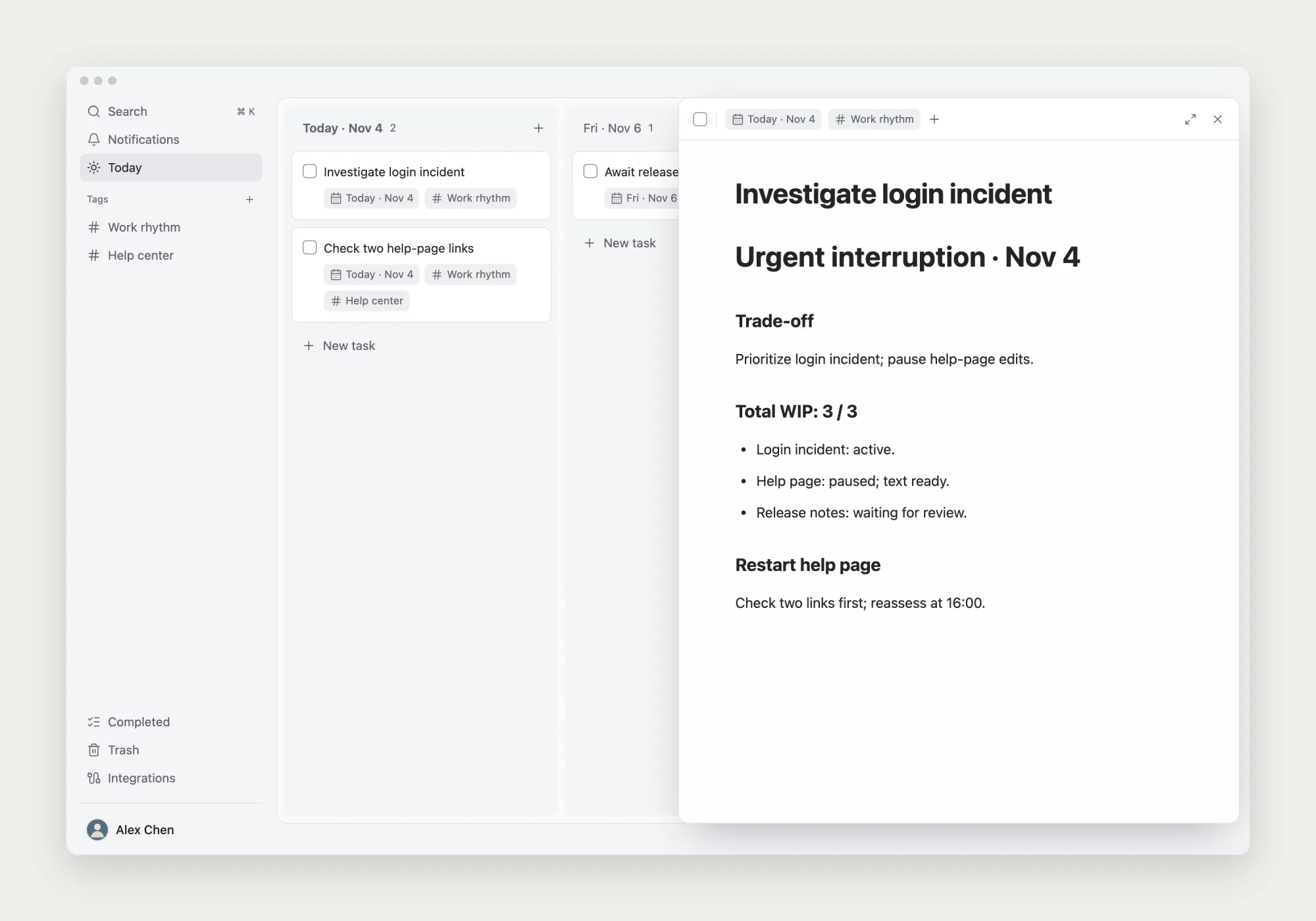
The pause note records the current version, completed checks, first restart action, and a check-in time. The help-page text is ready; two links need checking. At 16:00 Alex will reassess the incident before resuming. A fourth urgent item would require a recorded exception and revised delivery expectations, rather than relabeling unfinished work as unstarted.
Treat waiting as a blocker to manage
For the release review, record who needs to confirm what and when to follow up. Available active capacity can go toward the already-started help page or removing a blocker. At the total limit, inability to move one item does not automatically create room for another project.
If a commitment genuinely leaves the current delivery scope, confirm the change with the people involved and record the state and restart conditions. Moving a task to another date or changing a label alone does not finish work that has already begun.
A personal WIP agreement to copy
Trial period / review date:
Start boundary:
Finish boundary:
Total WIP limit:
Active-work limit within total WIP:

Current started work:
- Item / state / acceptance criteria:
- Blocker / waiting for whom / follow-up date:

What to do at the limit:
Urgent item / reason for interruption:
Paused item / current version:
First restart action / check-in time:
Over-limit exception / affected commitments:

Items completed / items still unfinished:
Next rule change and the evidence for it: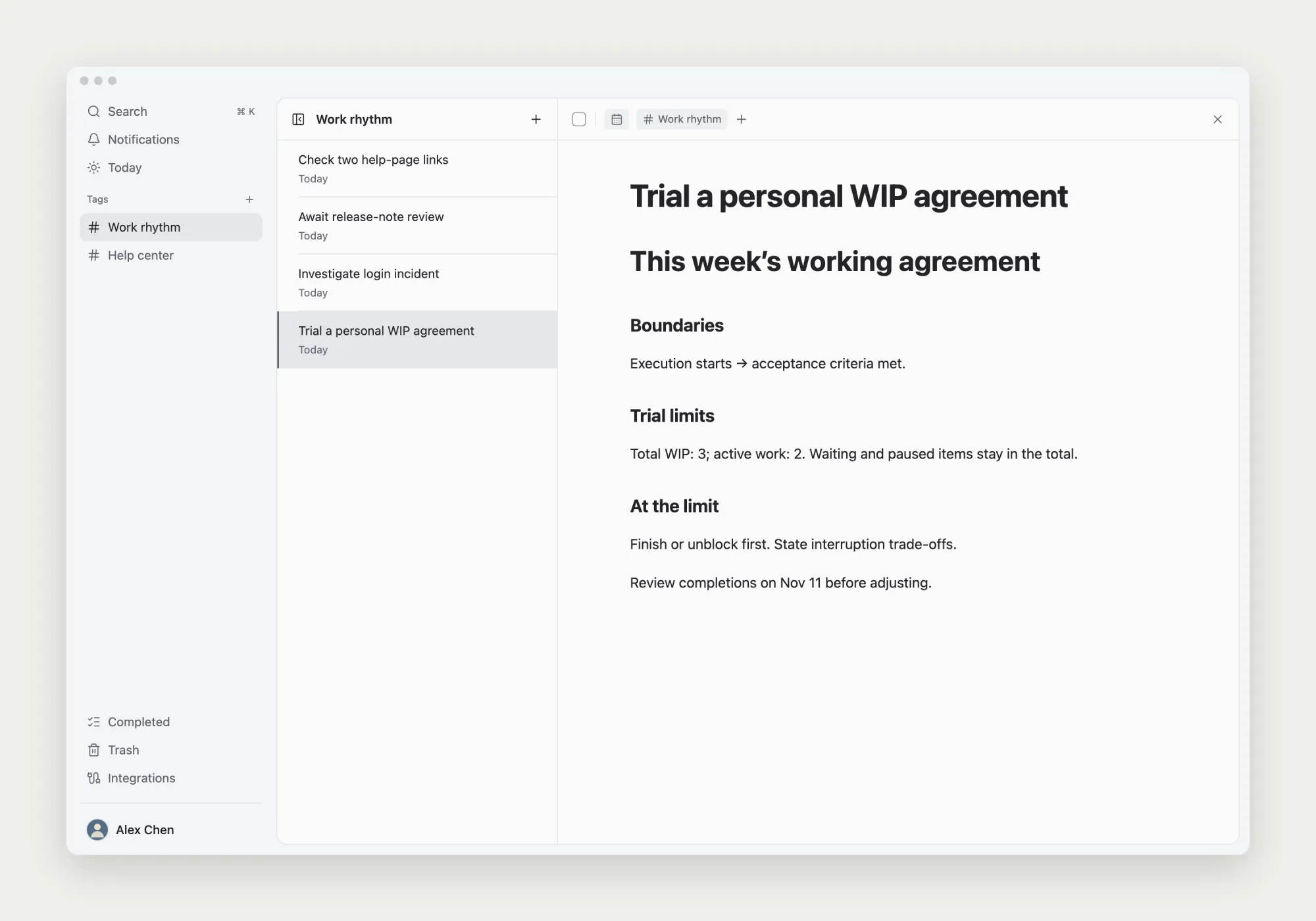
In TodoNote, keep this agreement in a task note, use a tag to find started work, and use the board to plan what to advance next. Check the count yourself against the agreement. A date lane alone does not establish whether work has started.
Review completions before changing the limit
After a week, check what finished, what stayed open longest, and how interruptions changed commitments. Frequent reconstruction of context may justify a lower active limit. Long waits for feedback call for better follow-up and clearer delivery agreements before simply raising total capacity.
Change one rule at a time and keep the evidence for the next review. Use task breakdown when an item is too large to finish, and a weekly review to assess the agreement. A useful limit helps work reach its finish boundary more consistently.