Choose Notion when database pages and shared project structure match your work. Consider Obsidian when local files and linked personal notes matter more. Test your normal workflow before deciding how much structure, configuration and synchronization you want to maintain.
The friction often appears between actions: a deadline lives in one place while the reason for changing it lives elsewhere. A useful comparison follows those transitions instead of counting views.
Compare the basic unit of work
A Notion database item is also a page, combining properties with written context. Obsidian stores notes in a local vault and lets you connect them with links. Those starting points shape how you organize and revisit information.
Both can carry checklists. For scheduling, aggregation and sharing, distinguish built-in features from extra services or community plugins. Test the configuration you would actually keep using.
| Need | Notion check | Obsidian check |
|---|---|---|
| Follow tasks | Status, dates and database views | Whether checklists suffice or plugins are needed |
| Keep knowledge | Page content and database relations | Local files and note links |
| Work with others | Sharing and editing permissions | Your chosen file-sharing or collaboration setup |
| Work offline | Client and required pages prepared for offline use | Required local files and attachments available |
Run one small project through both
SELECT-01 prepares a photography class: registration tasks need follow-up, reference material needs a home, and editing decisions must remain retrievable after the class. Use the same material in both trials.
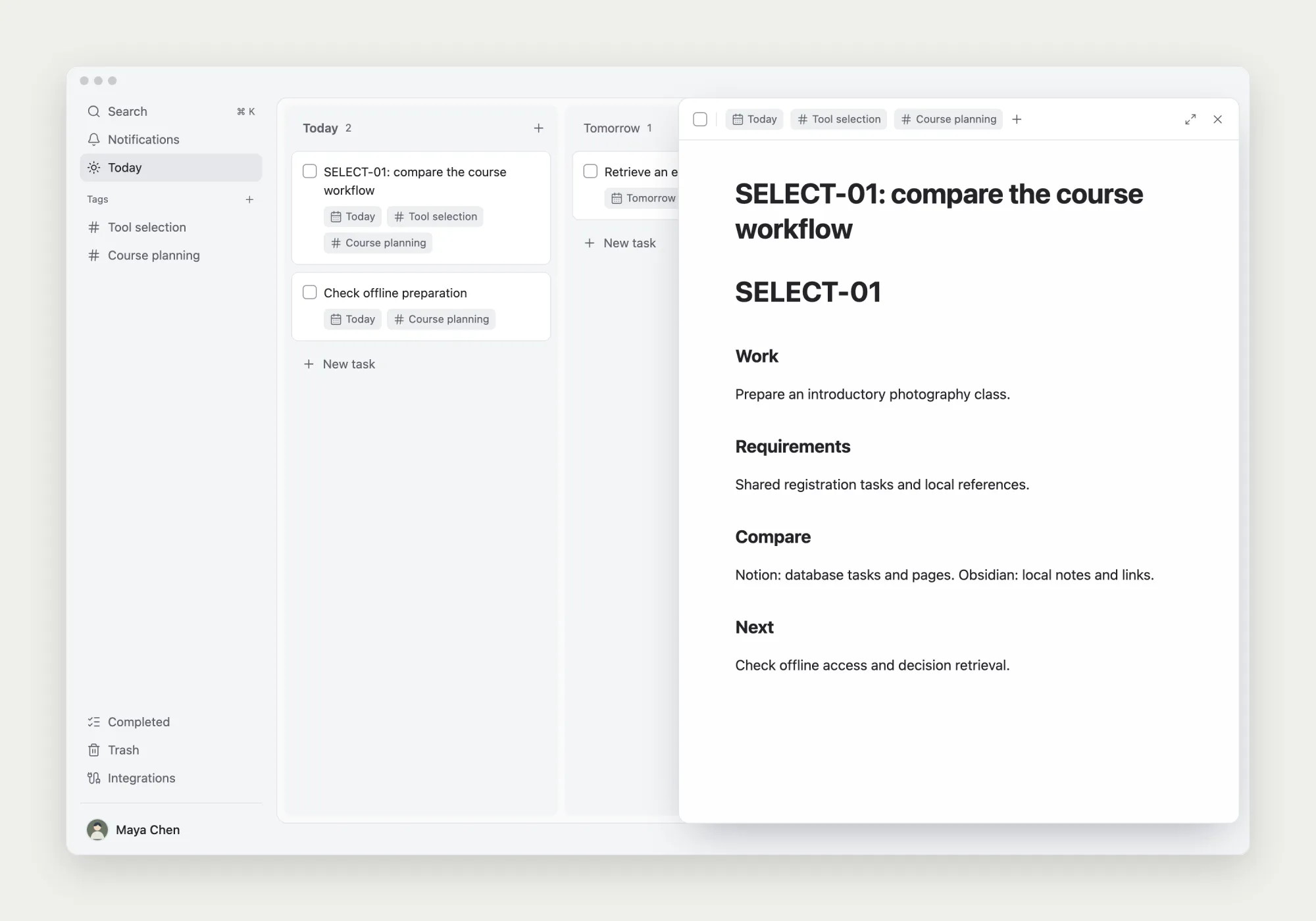
Create a task with context, change its date, save a decision, then try retrieving that decision later. Write down repeated entry, extra setup and application switching. An elaborate template on one side and an empty page on the other make a poor comparison.
Choose the maintenance you can sustain
Start with Notion for shared structured projects; start with Obsidian for personal linked notes and direct local-file control. A feature you use once a month may not justify structure you maintain every day.
If your main need is daily personal tasks with working notes inside them, also test TodoNote. Use the same course task to check subtasks, dates and tag retrieval, while evaluating complex database or knowledge-network needs separately.
Copyable template
Work to complete:
Three frequent actions:
Material to retain:
Shared editing needed:
Local-file requirement:
Offline situation and preparation:
Tool and version tested:
Built-in features used:
Extra services or plugins:
Repeated data entry:
Path back to an old decision:
Maintenance worth keeping:
Choice and reconsideration trigger:Background sources: Notion · Obsidian
Related reading: Task and notes apps: compare five real work scenarios before you choose · Tags vs folders for notes: choose by how you will find them again