Read-only TodoNote MCP access is sufficient to read tasks and notes and summarize them in chat. To create a task or save a summary into a TodoNote note, the client needs write access. Choose access based on the last operation you want the client to perform.
Start with a review draft
Connect a compatible client with read-only authorization. Ask it to find the pricing project’s weekly review, read the current note, and show completed work with one unresolved item. Ask it to identify the source record for each point.
The summary appears in the conversation, and the TodoNote note remains as it was. The client may still receive the text needed for the summary, so use an account and review task whose content you are comfortable sharing with that client.
Check when write access enters the workflow
TodoNote’s permission tests confirm that write tools are omitted from read-only tool discovery and that the server refuses write calls under read-only authorization. A client may show a missing tool or permission message if you ask it to save while it has read-only access.
If you decide to save, authorize the compatible client for read and write. Ask it to read the current note and show a proposed full replacement, preserving the existing decisions and links. Confirm the target and contents before it writes, then reopen the note to check the result.
| Operation | Access needed | Where to verify |
|---|---|---|
| Read a task and its note | Read-only | Source task details in the client |
| Draft a summary | Read-only for retrieving the context | Conversation with links or task names |
| Save to the task note | Read and write | Updated TodoNote note |
Keep the target specific
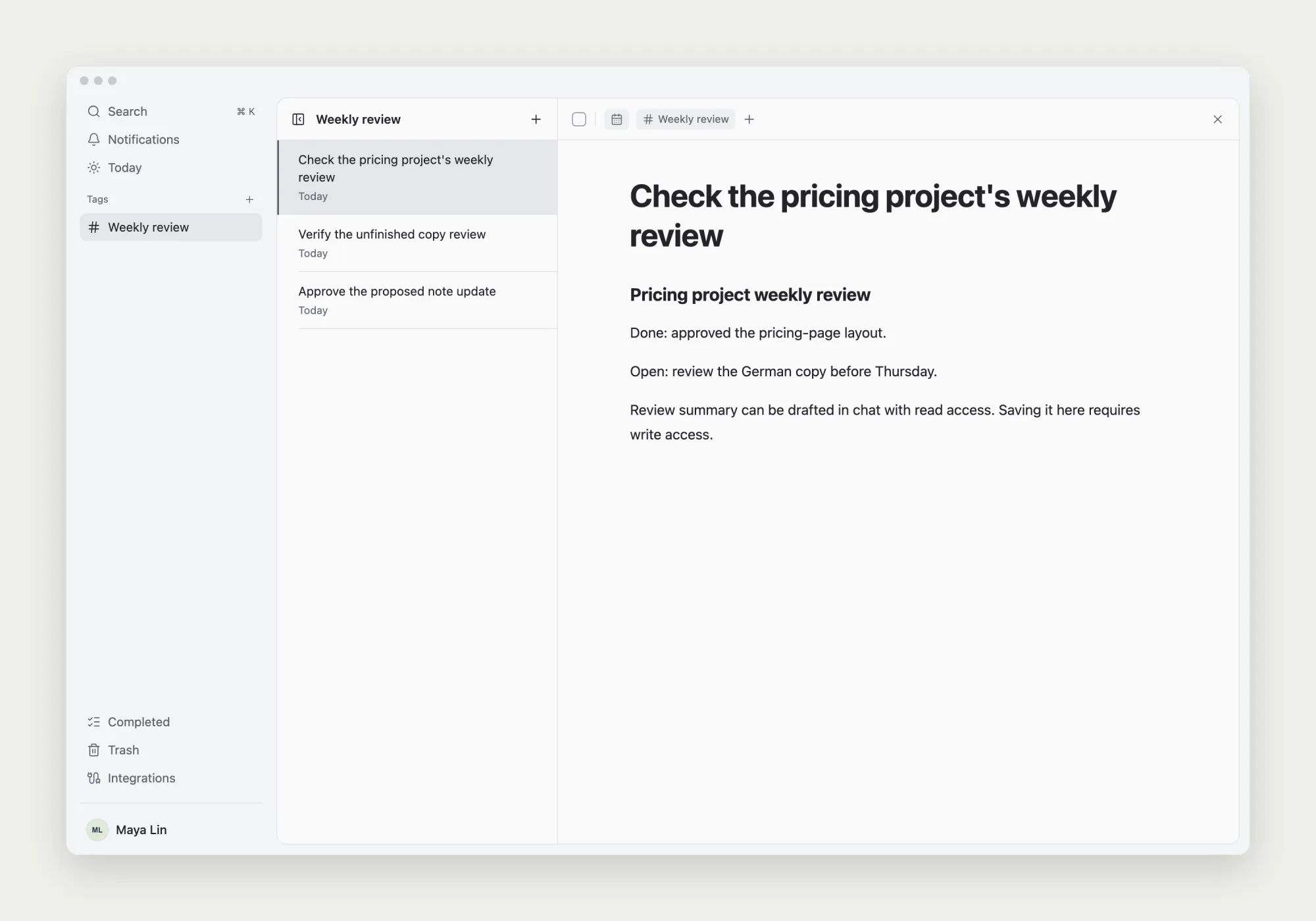
In this case, the completed item is approval of the pricing layout and the open item is reviewing German copy before Thursday. Ask the client to write into the weekly review task only, with both the original context and the updated summary visible.
When the review only needs a chat draft, keep read-only access. For an approved write, use a specific task and compare the saved note with the draft before continuing.
TodoNote MCP setup and tools · TodoNote authorization and data access
Copyable weekly-review request
Find the named weekly review task and read its current note.
List completed work, what remains, and the source for each claim.
Show the suggested update without changing TodoNote.
If I approve a write, preserve the existing note contents and links in the full replacement.
Open the target note again and show what changed.For assembling the inputs to a review, see Give AI context for weekly planning.