A GTD Waiting For list tracks outcomes that depend on someone else. Record what you need, who you are waiting on, when you asked, and when you will check again. Keep their delivery promise separate from your own follow-up task. When a reply arrives, check whether it resolves the whole request and identify your next action.
The email is sent, but the request keeps taking up attention. You check your inbox repeatedly and still risk missing the one moment when a follow-up would help. A useful waiting list gives that request a place to live and a clear point to revisit it.
Separate their next move from yours
“Waiting for copy approval” describes a dependency. “Check whether the pricing copy has been approved” describes an action you can take. Keep the relationship between them without copying every piece of someone else’s work into your own task list.
The official GTD Weekly Review checklist includes checking waiting items and identifying follow-ups. Choose the frequency for each request based on the agreement and the lead time your next step needs. A daily nudge is rarely a useful default.
| Record | Example | How to use it |
|---|---|---|
| Waiting item | Business approval for copy v2 | Keep the contact and missing response |
| Your action | Check the tax wording response | Choose when to check |
| Delivery agreement | Full response by Nov 9, 12:00 | Preserve the original promise and changes |
Capture enough context to make the next check useful
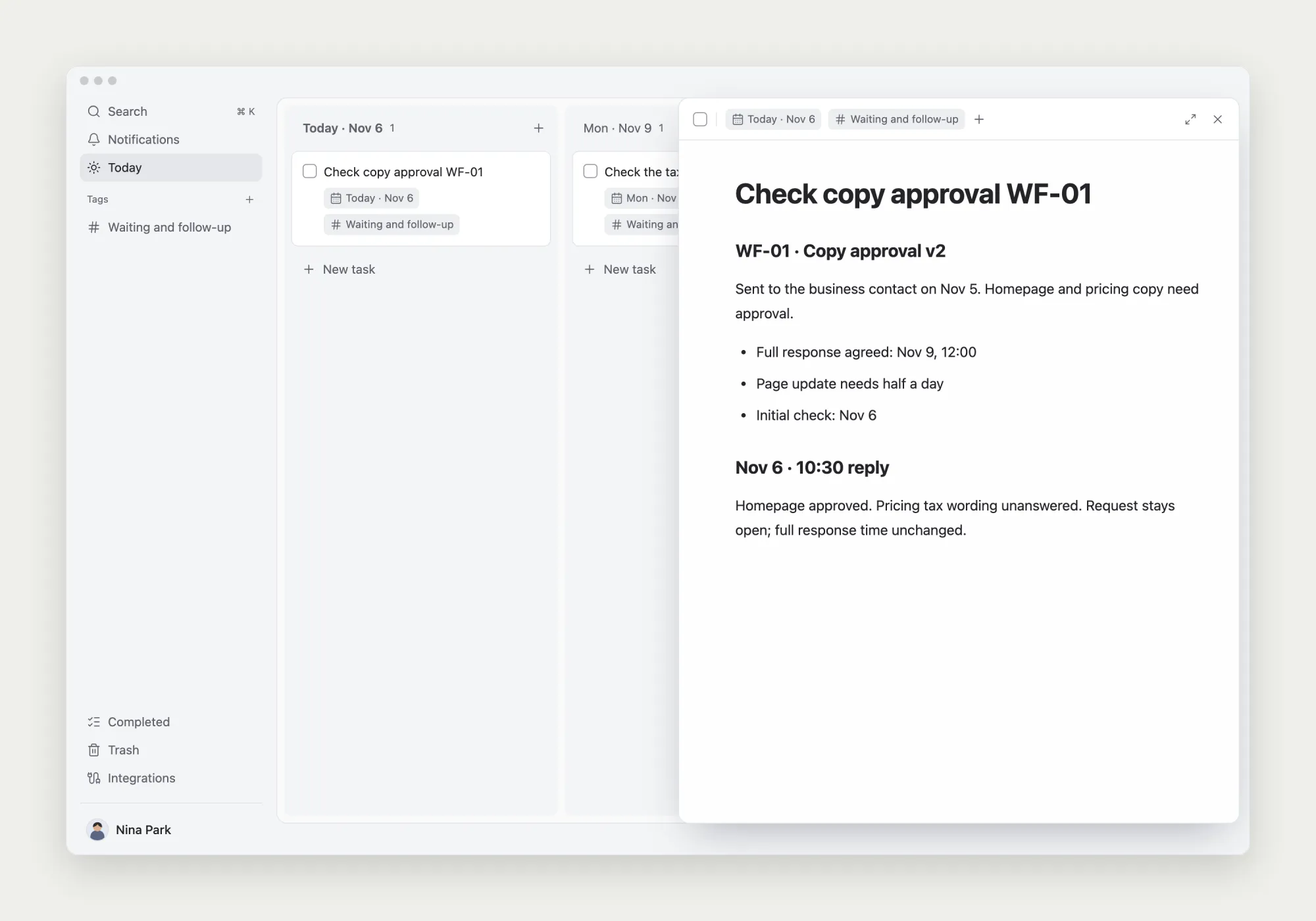
Nina sends homepage and pricing copy v2 for business approval on November 5. Request WF-01 has an agreed full response time of November 9 at 12:00. Updating the pages needs another half day, so she plans an initial check on November 6 to uncover missing information early.
The note keeps the version, contact, sent date, and location of the original message. If no response date has been agreed, ask for an estimate and choose your own check date. Do not turn that check date into a promise the other person never made.
A Waiting For list template you can copy
Use these fields in a simple list or in the note attached to the relevant task. The delivery agreement and your next check answer different questions. Keeping both avoids treating a routine follow-up as an overdue deliverable.
Waiting ID / related outcome:
What is needed / version:
Contact / way to reach them:
Date requested / original message:
Agreed response time / confirmation:
Lead time needed for your next step:

Next check date:
Your follow-up action:
Latest reply / what arrived:
What is still missing / effect on your work:

Revised agreement / evidence:
Received, canceled, or closed / date and reason:
Your next action after closure:Update partial replies without losing the open request
At 10:30 on November 6, the homepage is approved, but the tax wording on the pricing page is still unanswered. WF-01 stays open. Nina appends the reply and narrows the follow-up to the missing wording; the agreed full response time remains November 9 at 12:00.
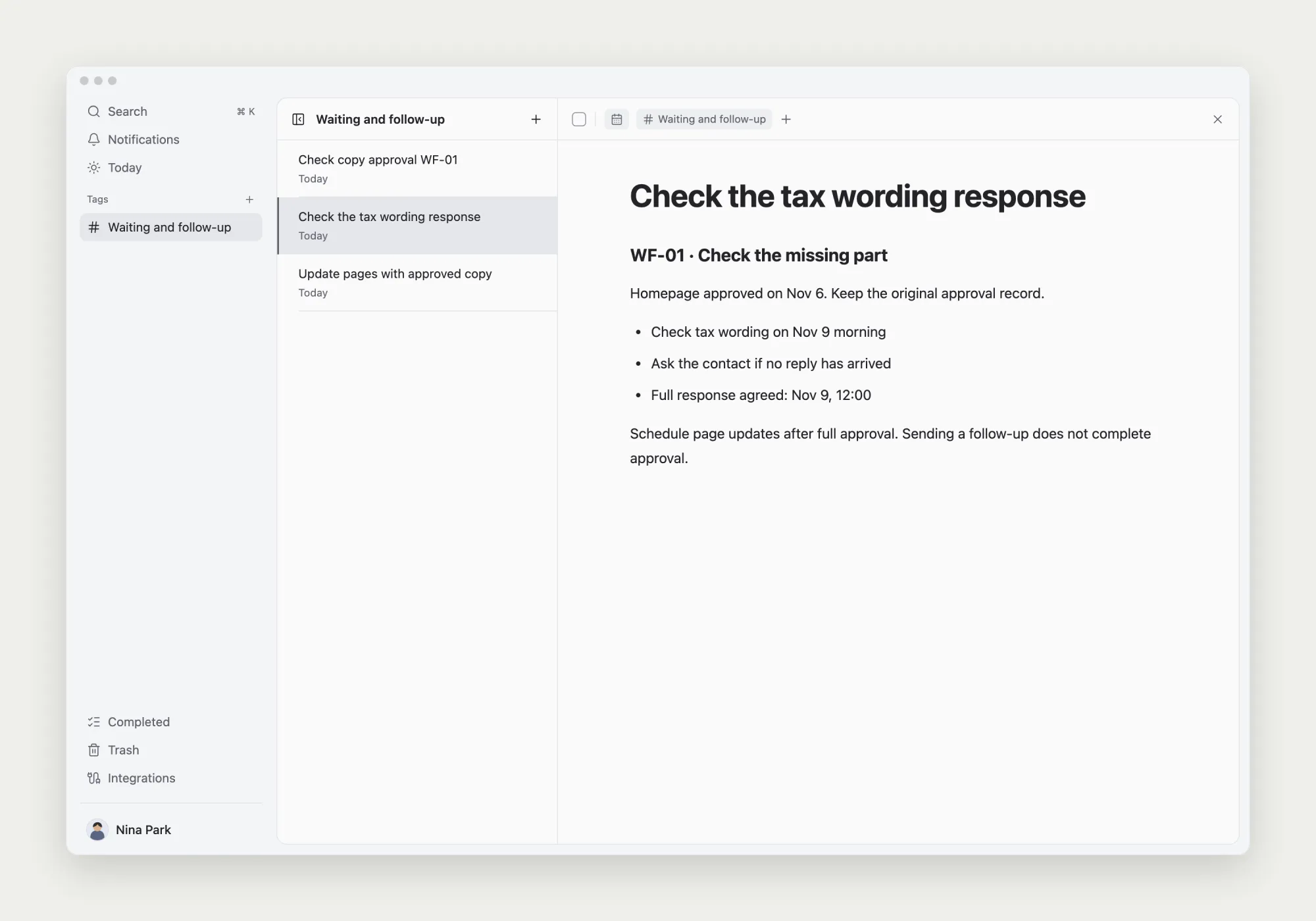
In TodoNote, keep the agreement and replies in a task note. Create a separate “Check the tax wording response” task and place it on the date you intend to act. Give the records the same tag so they are easy to retrieve together. Contacts and waiting status are written in the note; this workflow does not require automated chasing or assigning work to another person.
Close the wait only when the dependency is resolved
Sending a follow-up completes that action, not the approval. Once all feedback arrives, record the approved version and receipt date, close the waiting item, and schedule the page update. If the reply raises another question, capture the question and the next agreement instead.
During your weekly review, scan open requests and remove canceled ones. Schedule time-sensitive checks before that review when needed. The guide to start dates and due dates explains how to keep your plan distinct from a real delivery deadline.