Import an .ics file to copy a snapshot of events into Google Calendar. Subscribe by URL to keep a published calendar as a separate feed. Use the subscription when the source can still change and you want those changes to reach your calendar.
When an ICS import makes sense
On a computer, open Google Calendar’s Settings and go to Import & export. Choose the .ics file and the calendar that should receive the events. Google says guest lists and conference data aren’t included in the import. Google’s import instructions
An imported event is a copy. If you imported Wednesday at 10:00 and the organizer later moves the event to Thursday, edit the imported copy yourself or use an actively maintained source instead.
When a subscription makes sense
In Google Calendar on a computer, use Other calendars → Add other calendars → From URL, and enter the published calendar URL. The feed appears as a separate calendar. When a private Google calendar is shared with you, use the sharing invitation. Google’s subscription instructions
When a feed moves the venue walk-through to Thursday, check the source first and wait for the subscribed view to reflect it. Google’s instructions give no fixed update interval, so verify the source directly for a last-minute change.
| Method | Expected outcome |
|---|---|
| Import the .ics file | The Wednesday copy remains until edited |
| Subscribe to the published URL | The feed can show Thursday once refreshed |
If both the old import and the feed are visible, hide each calendar in turn. That will tell you which entry is the copy before you edit anything.
When the calendar entry needs an action
Luis keeps the walk-through on the calendar and opens a separate task to confirm the entrance with the venue. The event tells him when to arrive. The task gives the confirmation a result he can mark complete.
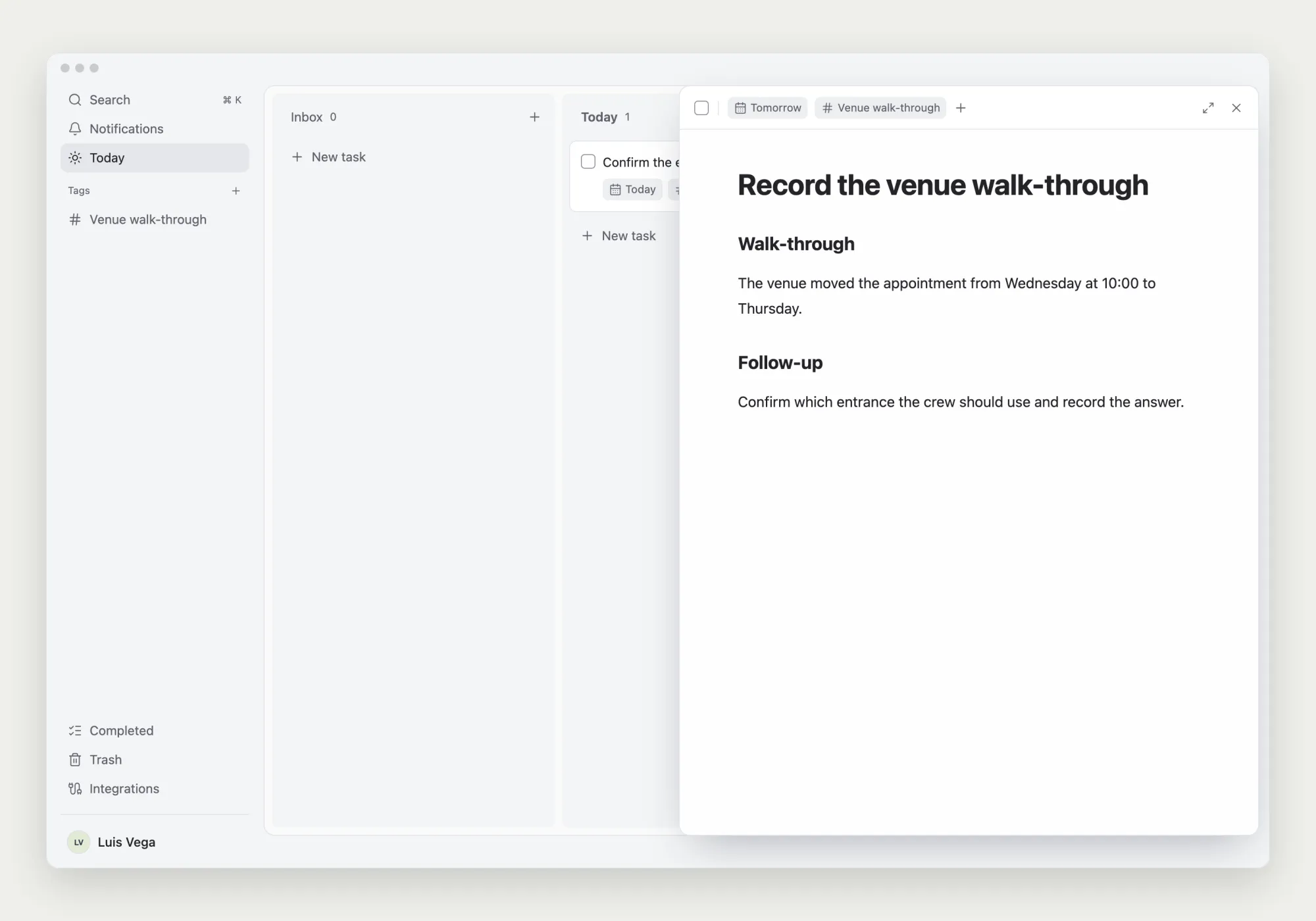
If the calendar is already in Google Calendar, TodoNote can connect to it and turn upcoming events from selected calendars into tasks. Check that the calendar you need is available in the integration. Completing a task or editing its note leaves the source event unchanged. TodoNote calendar subscriptions
Keep the organizer’s reschedule in the source calendar. Put your own door code request or arrival instructions in the follow-up note.
See how to keep meeting notes and follow-up tasks together for a worked example.