Create a project index with the new and former names in its title. Link to the records people use, organize the project tag under its current name, and test each name as a search query.
Make an index both names can find
Record the effective date, name variants, and material that still uses the former name. Preserve wording and dates in the original records and explain the rename in the index.
Check whether the old tag refers only to this project. Rename it if its scope is clear. If it also covers unrelated work, review records before applying the new tag.
Testing a rename from Atlas to Northstar
On June 3, Atlas becomes Northstar. The acceptance and launch records still say Atlas, while new tasks use Northstar. Create “Northstar project index (formerly Atlas)” and link both records.
Search for Atlas and Northstar separately. Verify that both queries reach the index, then open the acceptance note from it and check that the old link still leads to the right file.
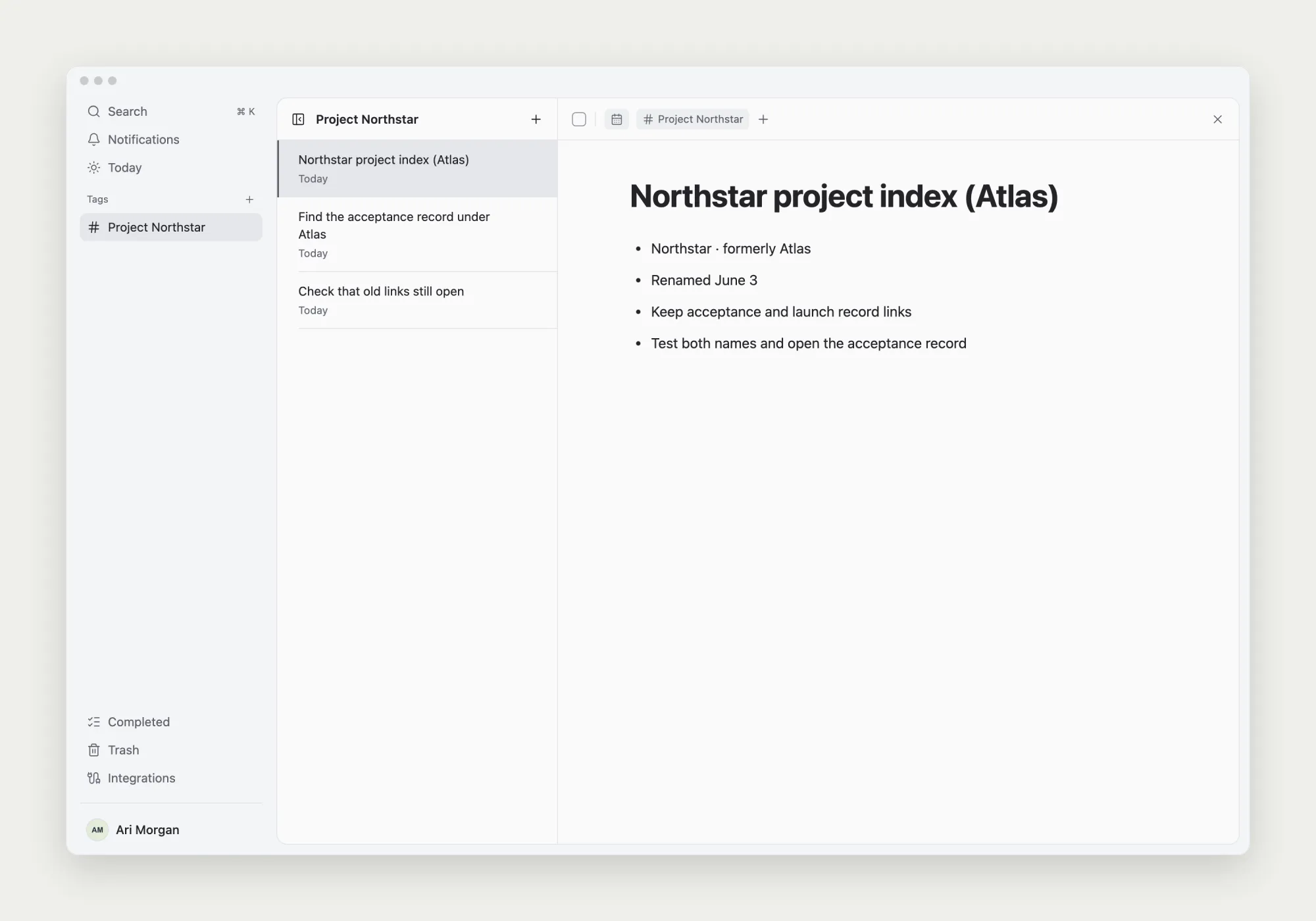
In TodoNote, put both names in the index task title and apply the current tag to the index and relevant records. Find the index by title and follow its links to the older work.
If more than one project used the old name, add a stable project ID or year. Revisit the index after the transition to catch any additional aliases.
Copy the template
Keep the former name searchable, organize the current tag, and test that both names lead to the same record.
Before testing search, list the two or three records people open most often. Finding the index is only the first check. Open each linked record as well.
Current project name:
Former names and spelling variants:
Effective date and stable ID:
Current tag:
Historical records and links:
Results of searches for both names:
Records still to review:For a related workflow, see How to Find an Old Note When You Forgot the Title.