For each client delivery, record the send date, time zone, recipients, exact file version, and a link to the attachment or original message. When someone asks what you sent last time, find the latest completed send and open its attachment to verify it.
The latest working file tells you what was edited most recently. The send record tells you what the client received at a particular time.
Give each version a status
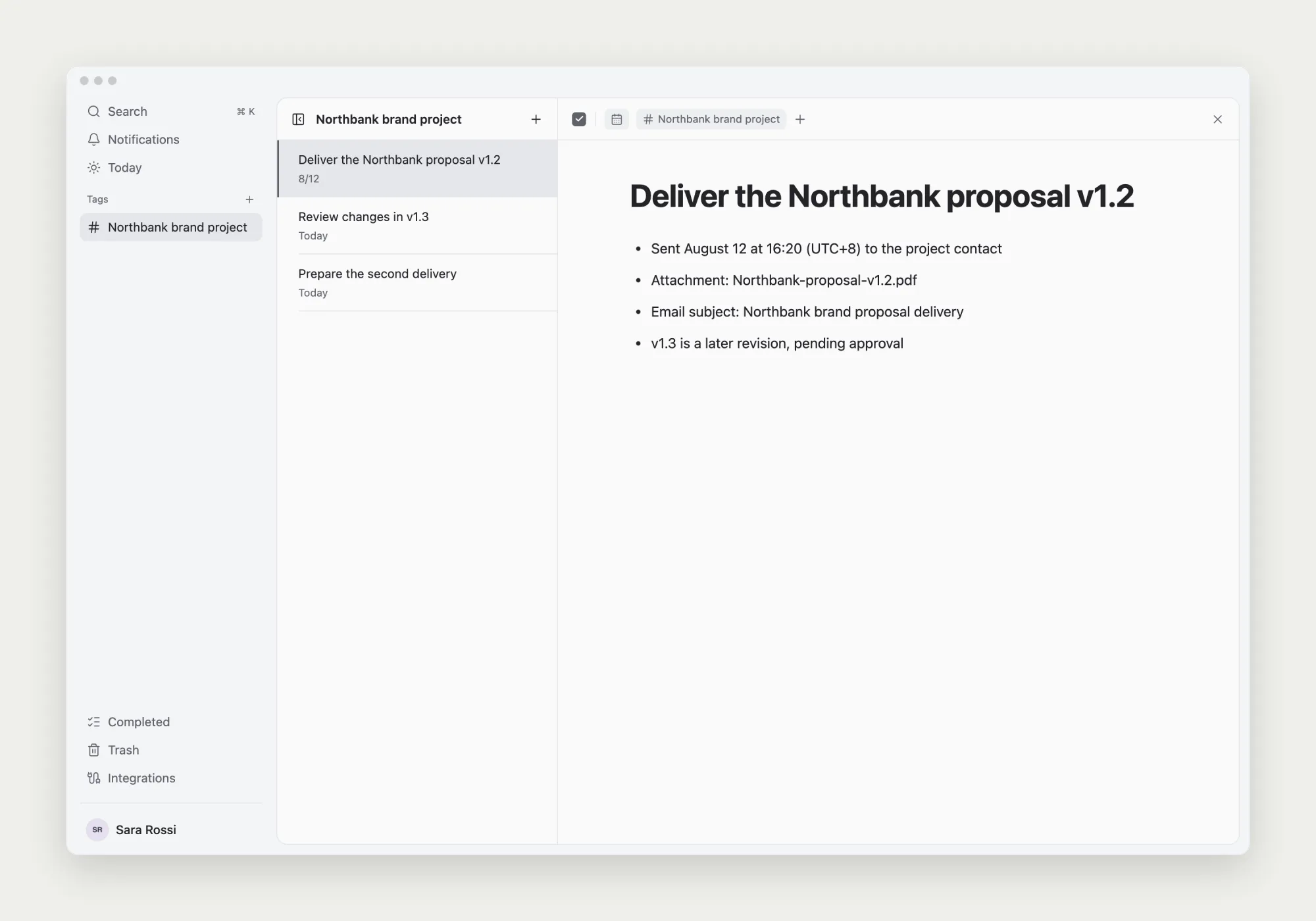
The Northbank proposal has a v1.1 draft, a v1.2 PDF sent to the project contact on August 12 at 16:20 (UTC+8), and a v1.3 revision prepared two days later.
Keep the send evidence with v1.2. If v1.3 is still waiting for approval, leave it in the follow-up task.
Record the exact file that went out
After sending, save the filename, version, channel, send time, and recipient in the delivery task's note. Keep the message subject or a link to the exact attachment in controlled storage.
| Version | Status | Where to check |
|---|---|---|
| v1.1 | Internal draft | Working files |
| v1.2 | Sent August 12 | Original email and PDF attachment |
| v1.3 | Revised, pending delivery | Follow-up approval task |
A shared link can point to a file that changes over time. Keep an independently versioned snapshot or a reliable route to the original revision. Open it once to check access.
Record each resend separately
When v1.3 goes out, give that send its own record. If some recipients are still on v1.2, the two send records should make that visible.
In TodoNote, add the same project tag to each delivery task and retain the evidence in its note. From the tag, you can return to the completed send for each version.
Check the attachment before replying
A reply can be short: “The file sent to the project contact on August 12 at 16:20 (UTC+8) was Northbank-proposal-v1.2.pdf.” If someone means a different recipient or date, check the corresponding send first.
Related reading · Project acceptance checklist template: deliverables, criteria and results