Route small tasks by urgency and working context before grouping similar work into defined processing windows. Treat blocked colleagues, real deadlines and growing consequences separately. Routine confirmations, file administration and record updates may suit a batch.
You open the proposal, answer an email, rename a file and update a record. Each action looks short. By afternoon, the proposal still begins with its opening sentence.
Ask what happens if it waits
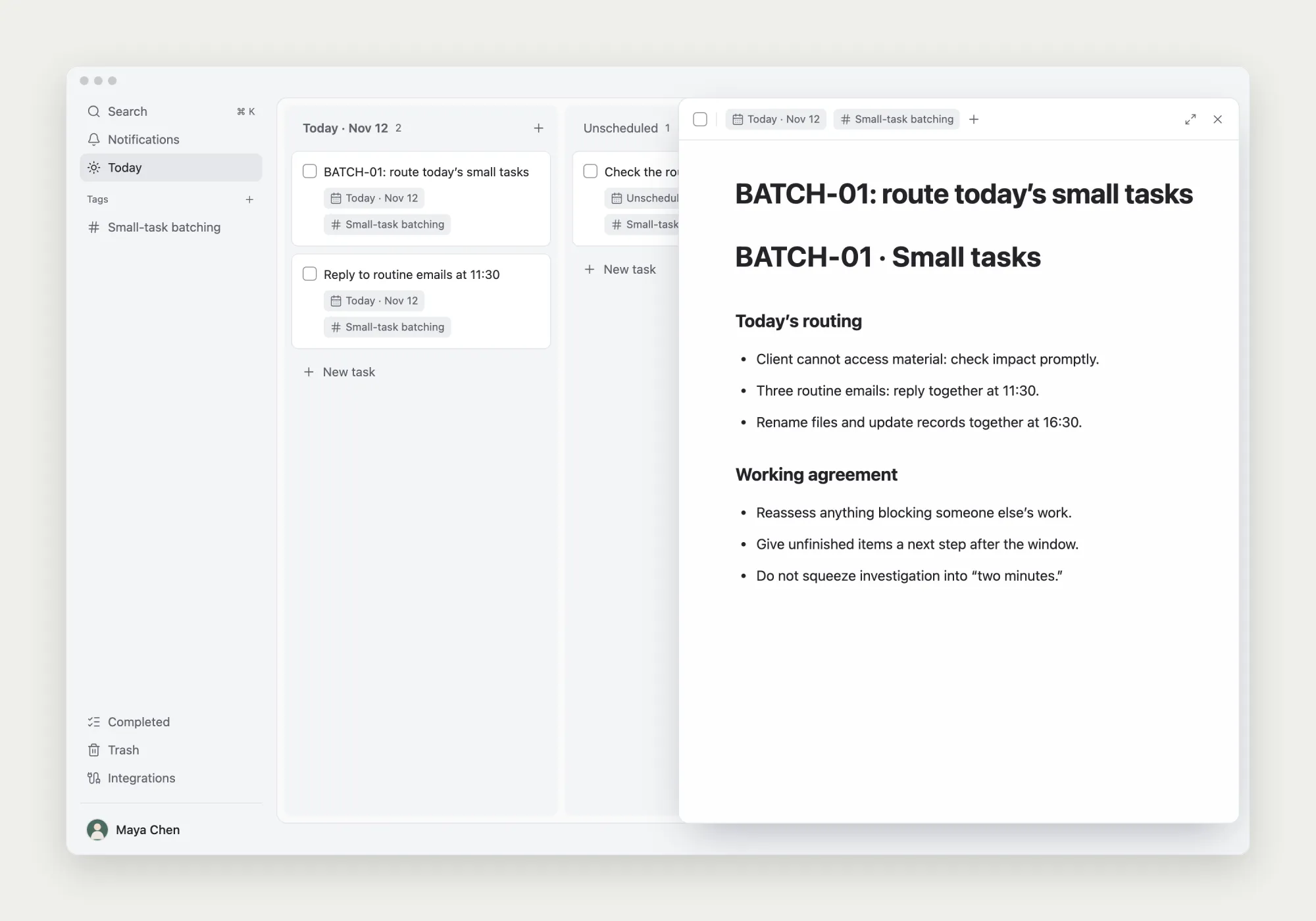
BATCH-01 contains a client access problem, three routine emails, file renaming and record updates. Access may block work happening now, so first establish impact. Check response commitments before scheduling the other items.
Duration alone is an incomplete rule. A quick acknowledgement can hide thirty minutes of investigation. Identify the actual work before assigning its place.
| Item | Current condition | Arrangement |
|---|---|---|
| Client access problem | May block current work | Check and respond promptly |
| Three routine emails | Nobody blocked; reply promised before noon | Process at 11:30 |
| Files and record updates | Same materials; no immediate deadline | Process at 16:30 |
Give the window an exit
“Handle email later” is easy to postpone indefinitely. Define when to start, which items belong, what needs a separate investigation and when remaining work will resume.
Answer what can be answered; turn research-dependent replies into tasks with a next step and response time.
Keep an appropriate route for urgent work
If your role requires timely responses, agree how relevant people should raise genuinely urgent requests. A batching routine should not leave someone waiting all day for information needed to start.
In TodoNote, group similar small items as subtasks and retain investigation context in notes. Give more complex issues separate tasks so they do not consume the whole routine-processing window.
Review actual outcomes
At day’s end, check promised responses, uninterrupted time for substantial work and anything wrongly delayed. Fix specific scheduling errors before optimizing the number of batches.
A category that repeatedly exceeds its window may involve more work or dependencies than expected. Reserve more time, narrow the batch or discuss responsibilities instead of continuing to call everything a two-minute task.
Related practice: Why Do Your Tasks Keep Taking Longer Than You Expected?